


Problèmes de rendu des noirs : comment les fournisseurs peuvent-ils améliorer la stabilité des couleurs ?
Vente chaude
Application
Phone:+86-15215969856 E-Mail: 396838165@qq.com
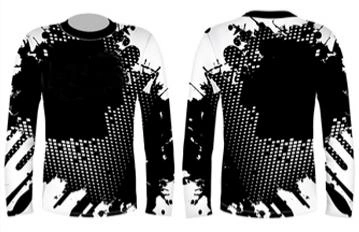
Le noir est souvent la première couleur à révéler une faiblesse lors de la sublimation. Une légère dérive chromatique, imperceptible sur un motif clair, devient flagrante sur un panneau noir uni, un motif de vêtement de sport foncé ou un drapeau observé en plein jour.
Pourquoi le noir est plus difficile à contrôler en impression par sublimation
Un noir convaincant exige une forte concentration d'encre, parfaitement équilibrée. De ce fait, il est moins tolérant que la plupart des autres couleurs. Si le papier imprimé ne sèche pas uniformément, si une buse est défectueuse ou si le transfert de chaleur est légèrement insuffisant, le noir perd de son intensité avant même que l'opérateur ne remarque un défaut ailleurs.
L'étape de transfert introduit une variable supplémentaire. L'encre de sublimation doit migrer du papier vers la fibre de polyester ou une surface enduite sous l'effet d'une chaleur, d'un temps de maintien et d'une pression stables. Un noir pâle peut être dû à un transfert insuffisant, mais un noir bleuté, vert ou rougeâtre peut également provenir d'un déséquilibre déjà présent dans l'image imprimée.
C’est pourquoi un échantillon d’approbation coloré classique ne suffit pas pour les travaux utilisant principalement le noir. Le test nécessite des aplats de couleur, des lignes fines et foncées, de grandes zones remplies et le même tissu que celui utilisé pour la production. Une ligne qui réussit un imprimé de mode peut avoir des difficultés avec un maillot d’équipe noir ou un graphisme dense pour signalétique souple.
Problèmes courants de production de déchets noirs sur les chaînes de production
|
Ce qui apparaît |
Cause probable de la production |
Vérifiez avant de changer l'encre |
|
Gris ou noir pâle |
Faible énergie de transfert, limite d'encre légère, variation du tissu |
Panneau de transfert, pression, temps de maintien, lot de tissu |
|
Bandes dans les zones solides |
Perte de buses, instabilité de l'alimentation, mode d'impression |
Test des buses, rendement en continu, alimentation en encre |
|
Bord ombré ou double |
Impression humide, contact par enroulement, mouvement de la bande |
État de séchage, tension du rouleau, parcours de la couverture |
Densité instable, noirs grisâtres et dominantes de couleur
Le problème du noir cendré est fréquent : l’image paraît foncée sur papier, mais le transfert est moins intense que la norme approuvée. Cela peut être dû à une quantité d’encre trop faible, une énergie de transfert insuffisante, un mauvais contact avec le blanchet ou un tissu qui n’absorbe pas la teinture de la même manière que l’échantillon.
La dominante de couleur est différente. Un noir tirant sur le bleu, le rouge ou le vert indique généralement un déséquilibre entre les canaux, une inadéquation du profil ou un état irrégulier de la tête d'impression. Elle peut également apparaître lorsqu'une impression à fort taux de couverture sèche de manière inégale et que l'étape de transfert amplifie la différence.
Faible couverture d'encre, bandes et effet fantôme
Une faible couverture d'encre rend le noir peu intense, même lorsque le visuel exige un remplissage dense. Augmenter la limite sans vérifier le reste de la ligne peut aggraver le problème. Le papier risque de rester humide, la bande peut se marquer lors de l'enroulement et les détails des bords peuvent baver avant d'atteindre la presse à chaud.
L'effet de bandes est particulièrement visible sur les grandes zones sombres. Une buse défectueuse, une alimentation en encre instable, un problème de chariot ou un mode d'impression inadapté peuvent laisser des stries claires, parfois difficiles à repérer avant le transfert. L'effet fantôme, quant à lui, a généralement une autre origine : le support imprimé bouge, se touche ou se déplace sous l'effet de la chaleur, créant ainsi une image fantôme à côté des détails d'origine.
1. Faites correspondre l'encre et la limite d'encre à la ligne
La première solution n'est pas toujours d'ajouter de l'encre. Commencez par vérifier que la formulation est adaptée à la configuration des têtes d'impression et à la charge de production. Pour les lignes Epson I-3200 classiques à deux ou quatre têtes, une formulation standard peut offrir un meilleur équilibre et une plus grande netteté. Les configurations Epson I-3200 plus importantes, avec huit têtes ou plus, ou les systèmes Atexco-Kyocera, peuvent nécessiter une encre plus dense lorsque la couverture des noirs et le volume d'impression augmentent.
Changfa numérique Elle reflète cette distinction entre les applications d'encre de sublimation classiques et haute densité. Sa gamme d'encres utilise des formulations CMJN destinées à la production textile en continu, la couverture du noir après transfert étant un critère de performance essentiel et non un simple argument esthétique.
La limite d'encre doit être augmentée par petites étapes contrôlées. À chaque étape, vérifiez la sécheresse du papier avant de le rembobiner, l'uniformité des zones foncées, la netteté des traits fins et le transfert du noir sur le tissu cible. Si l'image devient plus dense sur le papier mais présente des irrégularités après le transfert, le problème est généralement lié à la capacité du processus et non à un manque d'encre.
2. Maintenir la stabilité des têtes d'impression et du papier sous une charge d'encre élevée
Vérifiez la tête d'impression avant d'incriminer l'encre.
Effectuez un test des buses au démarrage, une fois la vitesse normale de la ligne atteinte et en fin de rouleau. L'encre de sublimation Changfa inclut une impression continue à 360 dpi sur 20 mètres comme référence de fluidité, mais chaque ligne de production nécessite son propre test en continu. Un bon fonctionnement des buses au démarrage ne garantit pas la stabilité de l'alimentation et de la tête d'impression lors d'un travail d'impression en noir dense.
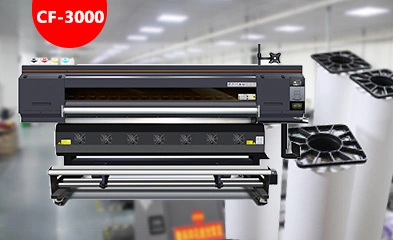
Associez le test à la situation réelle imprimante de sublimation Configuration et mode d'impression. Notez le nettoyage des têtes d'impression, la température ambiante, le comportement de l'alimentation en encre et le point d'apparition des bandes. Ces informations permettent de distinguer un problème de maintenance d'un problème de papier ou de transfert avant qu'un acheteur ne modifie plusieurs paramètres simultanément.
Choisissez un papier qui supporte les œuvres d'art foncées.
Les illustrations foncées sollicitent davantage le support d'impression. Ce dernier doit absorber la quantité d'encre prévue sans formation de flaques, séchage lent ni transfert irrégulier. Choisir une feuille uniquement pour son prix unitaire peut engendrer des déchets si les aplats noirs provoquent des gondolements, des marques ou une surface humide qui contamine la couche suivante sur le rouleau.
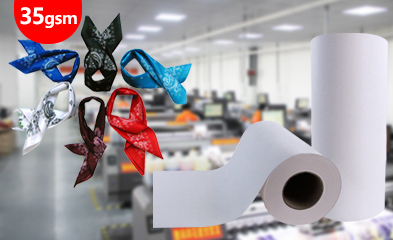
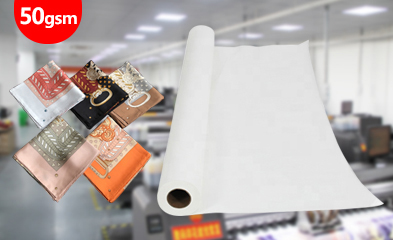
Pour cette raison, comparez les choix papier de sublimation Changfa Digital propose des papiers aux grammages courants de 40 à 100 g/m² et aux largeurs de 61 à 320 cm, permettant ainsi d'adapter le papier à la largeur de l'imprimante, à la vitesse d'impression et à la disposition du tissu. Une capacité d'encre élevée et un séchage rapide sont essentiels lorsque le fichier contient de grands aplats de noir.
3. Optimisez le transfert de chaleur pour un noir plus profond et plus uniforme.
Le transfert thermique ne peut pas corriger une impression instable, mais il peut préserver ou dégrader une impression de bonne qualité. La température, le temps de maintien, la pression, l'état du blanchet et la tension de la bande doivent être parfaitement coordonnés. Si la pression est irrégulière sur un rouleau large, le noir peut paraître acceptable au centre et délavé sur un bord.
Utilisez les panneaux de transfert positionnés à gauche, au centre et à droite. Comparez le même visuel noir après un temps d'impression normal, et non seulement après refroidissement de l'imprimante. Vérifiez si le transfert est uniforme, si les bords foncés se sont étendus et si une dominante de couleur est plus prononcée d'un côté. Ces détails permettent d'identifier un problème de réglage du transfert ou de l'état de l'imprimante avant de commander un changement d'encre.
4. Mettre au point un test spécifique au noir avant la production en série
Un test pratique de noir est suffisamment court pour être réalisé avant validation, mais suffisamment exigeant pour révéler un point faible. Utilisez le fichier d'impression prévu ou une cible contrôlée contenant des aplats de noir, des caractères foncés de petite taille, des dégradés vers le noir et des détails de contour. Imprimez des sections de début, de milieu et de fin de rouleau, puis transférez chaque section sur le tissu polyester ou le matériau enduit.
Conservez un échantillon de transfert approuvé comme référence physique. Comparez la densité, la teinte, la netteté des contours, les bandes et les effets de transparence avec cet échantillon avant de lancer la commande. Cette simple étape est plus fiable que d'approuver un échantillon de couleur standard et de supposer que le noir se comportera de la même manière.
Lorsque le travail nécessite une largeur de papier personnalisée, un format de rouleau ou une combinaison d'essai, Assistance technique numérique Changfa Cela peut être inclus dans l'exemple de discussion. L'entreprise gère en interne la production du papier de base, le couchage, le refendage et le conditionnement, grâce à quatre lignes de couchage, quatre ateliers de refendage et dix machines à refendre. Ce point est important lorsqu'une combinaison testée doit être reproduite pour des expéditions en vrac ultérieures, au lieu d'être approuvée une seule fois.
La qualité du noir est optimale lorsque l'encre, la tête d'impression, le papier, la capacité de séchage, les paramètres de transfert et le tissu sont considérés comme un système de production unique. Un noir plus profond ne s'obtient pas simplement en ajoutant de l'encre. Il résulte du choix d'une formulation compatible, du maintien en bon état de la ligne de production et du test des visuels foncés qui seront imprimés.
FAQ (questions fréquentes)
Q1 : Pourquoi le noir paraît-il gris après un transfert par sublimation ?
A1 : Les causes fréquentes incluent une limite d’encre trop élevée, un transfert incomplet, une pression irrégulière, des variations de texture ou un papier inadapté à la quantité d’encre. Comparez la feuille imprimée et le panneau transféré pour identifier l’origine de la perte d’encre.
Q2 : Comment les fournisseurs doivent-ils tester la stabilité du noir avant la production en série ?
A2 : Utilisez un fichier à forte teneur en noir et testez le rendu au démarrage, en milieu et en fin de rouleau avec le papier, le tissu, les paramètres d’imprimante et la machine de transfert réels. Vérifiez la profondeur du noir, les dominantes de couleur, les bandes, le débordement des bords et toute image fantôme.
Q3 : Changfa Digital peut-il soutenir un projet de sublimation à dominante noire ?
A3 : Oui. Lors de la préparation d’échantillons ou pour toute demande OEM/ODM, veuillez préciser la configuration de la tête d’impression, la couverture d’encre, le type de support cible, la largeur du papier et les conditions de transfert. L’objectif est de valider un processus reproductible avant le lancement de la production en série.


