


ขายร้อน
การประยุกต์ใช้งาน
Phone:+86-15215969856 E-Mail: 396838165@qq.com

เอ เส้นซับลิเมชั่น ไม่ค่อยมีเหตุการณ์ไหนที่ทำให้เสียเวลาทำงานไปทั้งกะเพราะความผิดพลาดร้ายแรงเพียงครั้งเดียว ส่วนใหญ่แล้ว เครื่องพิมพ์จะหยุดทำงานเพื่อทำความสะอาด ม้วนกระดาษป้อนไม่สม่ำเสมอ ไฟล์สีเข้มแห้งช้าเกินไป หรือส่วนการถ่ายโอนต้องรอการแก้ไข นาทีเหล่านั้นสะสมกันไปเรื่อยๆ โดยเฉพาะอย่างยิ่งเมื่อต้องพิมพ์งานอย่างต่อเนื่องบนแผงผ้าสำหรับชุดกีฬา ผ้าสำหรับใช้ในบ้าน ธง หรือป้ายโฆษณา
ดังนั้น การหยุดทำงานจึงเป็นปัญหาด้านการผลิต ไม่ใช่แค่ปัญหาของเครื่องจักรเท่านั้น
เวลาหยุดทำงานหมายถึงอะไรในสายการผลิตการพิมพ์ซับลิเมชั่น
เวลาหยุดทำงานคือช่วงเวลาที่สายการผลิตไม่สามารถผลิตวัสดุที่ยอมรับได้ตามอัตราที่วางแผนไว้ ซึ่งรวมถึงเครื่องพิมพ์ที่หยุดทำงานโดยสมบูรณ์ แต่มีการหยุดชั่วคราวสั้นๆ ซ้ำๆ เพื่อทำความสะอาดหัวพิมพ์ จัดแนว ปรับกระดาษ รีเซ็ตซอฟต์แวร์ หรือเปลี่ยนม้วนกระดาษซึ่งใช้เวลานานกว่าที่วางแผนไว้
เวลาหยุดทำงานที่วางแผนไว้ครอบคลุมถึงการทำความสะอาด การบำรุงรักษา การเปลี่ยนงาน และการตรวจสอบตามกำหนดเวลา ส่วนเวลาหยุดทำงานที่ไม่ได้วางแผนไว้เกิดจากหัวฉีดอุดตัน ท่อขาด กระดาษติด เซ็นเซอร์ทำงานผิดพลาด การม้วนกระดาษไม่เสถียร การปรับสี หรือเครื่องถ่ายโอนที่ไม่สามารถรักษาการตั้งค่าไว้ได้ ในทางปฏิบัติ การหยุดเล็กๆ น้อยๆ หลายครั้งอาจทำให้เสียค่าใช้จ่ายมากกว่าการเสียที่เห็นได้ชัดเพียงครั้งเดียว เพราะมักถูกมองข้ามไปในบันทึกการผลิต
จุดที่การหยุดรถโดยไม่วางแผนมักเริ่มต้นขึ้น
ความเสถียรของเครื่องพิมพ์และหัวพิมพ์
พฤติกรรมของหัวพิมพ์เป็นหนึ่งในจุดแรกๆ ที่ควรตรวจสอบ หัวฉีดที่อุดตันหรืออุดตันบางส่วนจะทำให้เกิดเส้นขาดและริ้ว ในขณะที่การเคลื่อนที่ของตัวเลื่อนที่ไม่เสถียรหรือการป้อนกระดาษที่ไม่ดีอาจทำให้ภาพเลื่อน การทำความสะอาดบ่อยๆ อาจช่วยแก้ไขปัญหาได้ชั่วคราว แต่ก็ทำให้การพิมพ์หยุดชะงักและสิ้นเปลืองหมึกและเวลาในการบำรุงรักษามากขึ้นด้วย
ควรประเมินเครื่องพิมพ์ระหว่างการผลิตอย่างต่อเนื่อง ไม่ใช่แค่ดูจากความเร็วสูงสุดที่โฆษณาไว้ ตรวจสอบความเสถียรของหัวฉีด ช่วงเวลาการจัดตำแหน่ง ความแม่นยำในการป้อนกระดาษ และเวลาในการฟื้นตัวหลังการทำความสะอาด ความเข้ากันได้กับหมึกที่เลือกใช้ก็สำคัญเช่นกัน Changfa ดิจิตอลหมึกซับลิเมชั่นของบริษัทนี้ใช้ได้กับเครื่องพิมพ์ Epson I3200 และหัวพิมพ์ Atexco Kyocera แต่การใช้งานจริงยังต้องทดสอบเพิ่มเติมอีก
การตั้งค่าหมึก กระดาษ และ RIP
การตั้งค่าปริมาณหมึกและ RIP ที่ไม่ถูกต้องอาจทำให้เกิดปัญหาขัดข้องโดยไม่มีความผิดพลาดทางกลไกใดๆ บริเวณสีดำเข้มหรือภาพกราฟิกที่ซับซ้อนอาจแห้งช้าเกินไปสำหรับความเร็วที่เลือกไว้ โปรไฟล์ที่ไม่ถูกต้องอาจทำให้ต้องปรับสีซ้ำๆ ในขณะที่หมึกที่ไม่ไหลผ่านหัวพิมพ์ได้ดีอาจทำให้ต้องทำความสะอาดบ่อยขึ้นและสีเพี้ยนได้
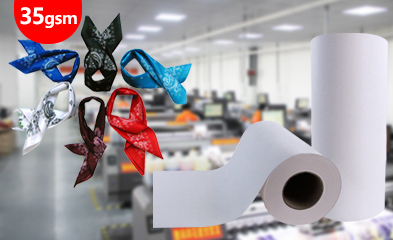
กระดาษก็เป็นส่วนหนึ่งของการตัดสินใจเช่นกัน กระดาษถ่ายโอนเคลือบผิวต้องดูดซับหมึก แห้งเร็วตามความเร็วในการทำงาน ป้อนได้เรียบ และปล่อยสีได้สม่ำเสมอภายใต้ความร้อน ตัวเลือกทั่วไปมีตั้งแต่ประมาณ 30 แกรม ถึง 100 แกรม โดยมีความกว้างตั้งแต่ 61 ซม. ถึง 320 ซม. การเลือกที่เหมาะสมขึ้นอยู่กับปริมาณหมึก งานศิลปะ ความเร็ว และการจัดการม้วนกระดาษ ไม่ใช่แค่แกรมเดียว ดูตัวเลือกที่เหมาะสม ตัวเลือกกระดาษซับลิเมชั่น ก่อนที่จะกำหนดข้อกำหนดการผลิต
การอบแห้ง ความตึง และการจัดการม้วน
ฟิล์มม้วนอาจดูดีในตอนแรก แต่จะเริ่มมีปัญหาหลังจากใช้งานไปได้หลายร้อยเมตร การแห้งช้าจะทำให้เกิดรอยเปื้อนหรือเป็นก้อน การม้วนงอ การม้วนที่ไม่สม่ำเสมอ หรือแรงดึงในการคลายฟิล์มที่เปลี่ยนแปลงไป อาจทำให้เกิดรอยย่น ข้อผิดพลาดในการติดตาม และปัญหาการลงทะเบียนภาพได้
เหตุใดปัญหาเล็กน้อยเกี่ยวกับวัสดุจึงกลายเป็นความล่าช้าในการผลิตเป็นเวลานาน
ขั้นตอนการถ่ายโอนมักจะเผยให้เห็นปัญหาที่เริ่มเกิดขึ้นก่อนหน้านี้ หากกระดาษพิมพ์มีความชื้นที่พื้นผิวมากเกินไปก่อนเข้าสู่เครื่องกดความร้อน การถ่ายโอนอาจแสดงสีที่ไม่สม่ำเสมอหรือเกิดเงาซ้อน หากผ้า กระดาษ และความกว้างของเครื่องไม่ตรงกัน ขอบที่เปิดโล่งอาจสะสมคราบสกปรกหรือทำให้เกิดแถบที่เสียเปล่า การแก้ไขเล็กน้อยในห้องพิมพ์อาจกลายเป็นการพิมพ์ซ้ำจำนวนมากหลังจากถ่ายโอนเสร็จสิ้น
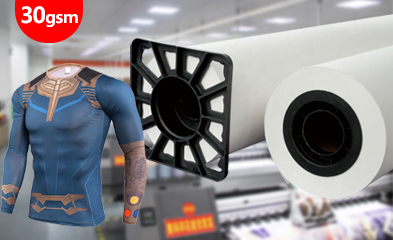
กระดาษทิชชู่หรือกระดาษป้องกันเป็นอีกตัวอย่างหนึ่ง กระดาษชนิดนี้ไม่ได้มีภาพหลักอยู่บนแผ่น แต่ช่วยปกป้องด้านหลังของผ้าห่มและผ้าจากคราบสีและรอยเปื้อนบนพื้นผิว Changfa จำหน่ายกระดาษทิชชู่สีขาวและสีเทาขนาด 30 แกรม โดยมีขนาดความกว้างทั่วไปคือ 160 ซม., 162 ซม., 180 ซม. และ 182 ซม. และความยาวม้วนมาตรฐานประมาณ 1000 เมตร ในสายการผลิตที่กว้างและมีการทำงานอย่างต่อเนื่อง วัสดุรองรับนี้สามารถช่วยลดการทำความสะอาดผ้าห่มและการเปื้อนด้านหลังที่อาจทำให้การผลิตหยุดชะงักได้
ตรวจสอบด้านหลังของผ้า ผ้าห่ม ขอบกระดาษ และม้วนกระดาษหลังจากใช้งานต่อเนื่องเป็นเวลานาน หากแผ่นป้องกันเลื่อน ย่น มีฝุ่นหลุด หรือมีพื้นที่ที่ไม่ได้ปกคลุม สายการผลิตอาจดูเหมือนทำงานได้ดีในขณะที่กำลังมีการแก้ไขงานซ้ำซ้อนเกิดขึ้น เหมาะสม กระดาษทิชชูสำหรับป้องกัน ควรตรวจสอบภายใต้ความร้อนและความดันเดียวกันกับที่ใช้ในการผลิตจำนวนมาก
วิธีลดเวลาหยุดทำงานก่อนที่จะเกิดขึ้น
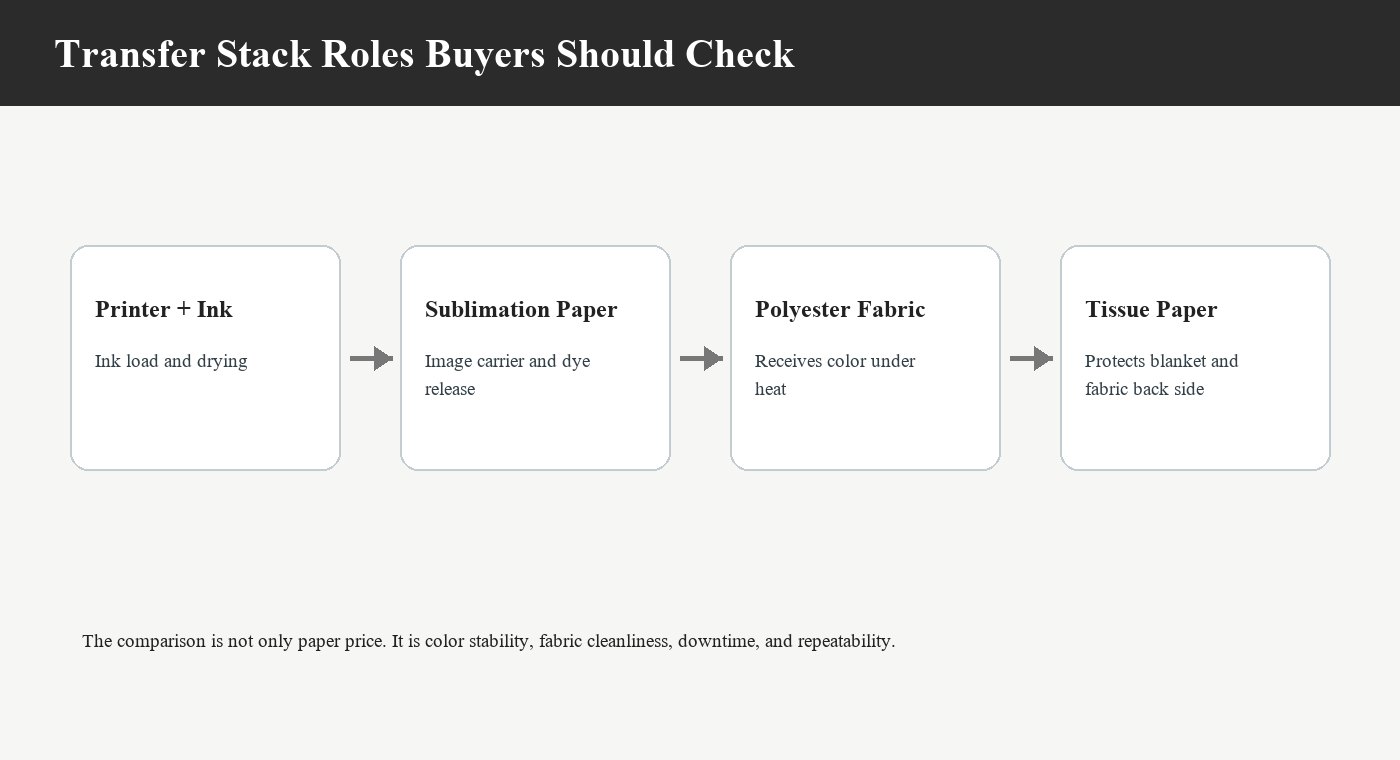
ตรวจสอบขั้นตอนการทำงานทั้งหมดให้ตรงกันก่อนซื้อ
เริ่มต้นด้วยการตรวจสอบทั้งห่วงโซ่การผลิต: เครื่องพิมพ์ หัวพิมพ์ หมึก RIP กระดาษซับลิเมชั่น สภาพการอบแห้ง ผ้า เครื่องถ่ายเทความร้อน และกระดาษป้องกัน การเปลี่ยนชิ้นส่วนใดชิ้นส่วนหนึ่งโดยไม่ตรวจสอบขั้นตอนถัดไปอาจทำให้ปัญหาไปอยู่ที่อื่นแทนที่จะแก้ไข กระดาษที่ใช้งานได้ดีที่ความเร็วระดับหนึ่ง อาจไม่ทำงานในลักษณะเดียวกันเมื่อปริมาณหมึก ความกว้าง หรือโครงสร้างของผ้าเปลี่ยนแปลงไป
ในการเลือกกระดาษ ให้เปรียบเทียบความเร็วในการแห้ง การดูดซับหมึก ความเรียบ อัตราการถ่ายโอน ความกว้าง ความยาวม้วน และขนาดแกน สำหรับกระดาษทิชชู่ ให้เปรียบเทียบการปกคลุม การม้วน ความสะอาดของพื้นผิว ความทนทานต่อความร้อน และการเปลี่ยนแปลงรูปทรงภายใต้แรงกด ผู้จำหน่ายที่สามารถพูดคุยเกี่ยวกับรายละเอียดเหล่านี้ได้พร้อมกันจะมีประโยชน์มากกว่าผู้จำหน่ายที่เสนอราคาเฉพาะราคาต่อม้วนเท่านั้น
ทดสอบในระยะยาว ไม่ใช่แค่ตัวอย่างขนาดเล็ก
การทดสอบตัวอย่างสั้นๆ ยืนยันว่าภาพสามารถพิมพ์ได้ แต่ไม่ได้ยืนยันว่าบรรทัดนั้นจะพิมพ์ได้ต่อเนื่อง ก่อนสั่งพิมพ์จำนวนมาก ควรทดลองพิมพ์งานศิลปะจริงด้วยหมึกที่ต้องการ การตั้งค่า RIP ชนิดผ้า ความเร็ว และอุณหภูมิการถ่ายโอน บันทึกการตรวจสอบหัวฉีด การหยุดพักเพื่อทำความสะอาด การอบแห้ง ความตึงของม้วนกระดาษ การติดตามกระดาษ ความสม่ำเสมอของสี และสภาพของผ้าหลังการถ่ายโอน
ดำเนินการต่อไปจนกว่าจะเห็นผลกระทบจากการม้วนและการเกิดความร้อน เปรียบเทียบส่วนแรก ส่วนกลาง และส่วนสุดท้ายของม้วน หากส่วนสุดท้ายต้องการการตั้งค่าที่แตกต่างกัน ให้เปลี่ยนน้ำหนักกระดาษ การตั้งค่าการอบแห้ง หรือความเร็วในการทำงานก่อนจัดส่ง แทนที่จะเปลี่ยนหลังจากพิมพ์เสร็จทั้งชุดแล้ว
สร้างระบบบำรุงรักษาโดยรอบแนวเส้นทางจริง
ผู้ปฏิบัติงานจำเป็นต้องมีขั้นตอนการเริ่มต้นใหม่ที่ชัดเจนด้วย หลังจากหยุดการทำงาน ให้ตรวจสอบสถานะหัวฉีด การจัดแนวของกระดาษ การตั้งค่าสี การอบแห้ง และแผงแรกที่ถ่ายโอนแล้ว ก่อนที่จะกลับไปทำงานด้วยความเร็วเต็มที่ การข้ามขั้นตอนการตรวจสอบนี้อาจทำให้การหยุดชะงักเพียงห้านาทีกลายเป็นวัสดุทั้งม้วนที่ไม่ผ่านการตรวจสอบ
แผนการจัดหาอุปกรณ์ที่เหมาะสมอาจรวมถึงกระดาษซับลิเมชั่นสำหรับถ่ายโอนภาพ กระดาษทิชชู่สำหรับป้องกัน และหมึกซับลิเมชั่นที่เหมาะสมกับหัวพิมพ์ที่เลือกใช้ รายละเอียดเกี่ยวกับตัวอย่าง ข้อกำหนดเฉพาะ และการบรรจุหีบห่อสำหรับการจัดส่ง สามารถพูดคุยกันได้ผ่านทาง บริการสนับสนุนดิจิทัลของ Changfa ก่อนที่จะมีการกำหนดข้อกำหนดการผลิตอย่างเป็นทางการ
คำถามที่พบบ่อย
Q1: ระยะเวลาหยุดทำงานในการพิมพ์แบบระเหิดคืออะไร?
A1: เวลาหยุดทำงาน หมายถึง ช่วงเวลาใดๆ ที่สายการผลิตหยุดทำงานหรือไม่สามารถผลิตวัสดุที่ยอมรับได้ตามอัตราที่วางแผนไว้ ซึ่งรวมถึงการเสียทั้งหมด การหยุดเพื่อทำความสะอาดซ้ำๆ การปรับแต่งกระดาษ การแก้ไขสี และการเปลี่ยนวัสดุที่ใช้เวลานาน
คำถามที่ 2: ผู้ซื้อควรทดสอบวัสดุอย่างไรก่อนสั่งซื้อในปริมาณมาก?
A2: ใช้เครื่องพิมพ์ หมึก การตั้งค่า RIP กระดาษ ผ้า ความเร็ว และสภาวะการถ่ายโอนความร้อนตามที่กำหนด ทดลองพิมพ์ตัวอย่างยาวๆ และเปรียบเทียบจุดเริ่มต้น จุดกลาง และจุดสิ้นสุด เพื่อตรวจสอบการแห้ง การจัดเรียงสี การม้วนตัว ความสะอาดของผ้าห่ม และรอยด้านหลังผ้า
คำถามที่ 3: Changfa Digital สามารถช่วยลดเวลาหยุดทำงานของผู้ซื้อได้หรือไม่?
A3: Changfa สามารถพูดคุยเกี่ยวกับกระดาษซับลิเมชั่น กระดาษทิชชู่ หมึก และอุปกรณ์ถ่ายโอนที่เกี่ยวข้องในรูปแบบเวิร์กโฟลว์ที่เข้ากันได้ ผู้ซื้อสามารถ ติดต่อ Changfa Digital สอบถามข้อมูลเกี่ยวกับตัวอย่างสินค้า ข้อกำหนด OEM/ODM ความกว้างที่กำหนดเอง ความยาวม้วน แกนกระดาษ และบรรจุภัณฑ์เพื่อการส่งออก ก่อนสั่งซื้อสินค้าจำนวนมาก


