


Pourquoi l'impression par sublimation présente-t-elle des bandes ou des lignes brisées en 2026 ?
Vente chaude
Application
Phone:+86-15215969856 E-Mail: 396838165@qq.com

Les bandes et les lignes discontinues ne sont pas de simples imperfections visuelles en sublimation textile. En atelier d'échantillonnage, une ligne blanche peut être réimprimée. En production de masse, le même défaut peut immobiliser des rouleaux de tissu pour vêtements de sport, des drapeaux, des panneaux textiles d'ameublement ou des supports de signalétique souples personnalisés.
Que sont les bandes et les lignes brisées en impression par sublimation ?
L'effet de bandes désigne les stries ou bandes de couleurs irrégulières visibles dans une image imprimée. Il peut se présenter sous forme de lignes horizontales sur une grande zone bleue, d'une nuance irrégulière dans un dégradé ou d'une différence de couleur en escalier sur un fond sombre.
Les lignes discontinues sont généralement plus visibles. Une ligne fine s'arrête à mi-chemin. Une ligne blanche apparaît là où l'encre devrait être. Le contour d'un logo semble incomplet. Sur papier de sublimation, ces défauts peuvent paraître gérables. Après transfert thermique, le tissu polyester peut les rendre plus apparents. Ce problème se manifeste souvent sur les motifs de grande surface, les couleurs foncées, les fonds de signalétique clairs, les motifs de textiles d'ameublement et les empiècements de vêtements de sport à fort contraste. C'est pourquoi il est essentiel de vérifier les bandes d'impression par sublimation avant de passer de l'échantillon à la production en série.
Pourquoi les bandes et les lignes brisées sont-elles importantes pour les acheteurs B2B ?
L'apparition de bandes ou de lignes discontinues peut réduire le taux d'approbation des échantillons et compromettre la qualité des commandes ultérieures. Si les 50 premiers mètres sont conformes et que les 50 suivants présentent des rayures, l'usine doit interrompre la production et en identifier la cause : problème de flux d'encre ? Absorption du papier ? État de la tête d'impression ? Paramètre du RIP ? Taux d'humidité dans l'atelier ?
Pour les acheteurs étrangers, la pression après-vente est encore plus forte. Si le fournisseur ne parvient pas à diagnostiquer la panne, l'acheteur risque de devoir expliquer des problèmes techniques à un client local sans disposer de suffisamment d'informations. C'est pourquoi le choix du fournisseur est aussi important que le prix de la machine.
Qu’est-ce qui provoque l’apparition de bandes ou de lignes brisées en impression par sublimation ?
Obstruction de la tête d'impression ou instabilité des buses
L'état de la tête d'impression est le premier point à vérifier. Une buse obstruée, une surface de tête sèche, un nettoyage insuffisant ou un système d'humidification défaillant peuvent entraîner des lignes manquantes. Une légère perte d'encre au niveau des buses peut se traduire par une bande visible sur les motifs en aplats de couleur.
Avant la production en série, les opérateurs doivent effectuer un test des buses. Pour les impressions sur rouleaux longs, un seul test initial ne suffit pas toujours. Si l'imprimante est arrêtée pendant la nuit ou fonctionne dans un atelier sec, l'état des têtes d'impression peut se modifier.
L'encre de sublimation ne correspond pas à la tête d'impression.
Encre de sublimation Le système d'impression doit correspondre à la configuration de la tête d'impression. Les systèmes Epson I3200, Epson 5113, Kyocera, Mimaki, Roland et Atexco peuvent avoir des exigences différentes. Si l'encre est trop instable, trop épaisse pour la configuration ou mal filtrée, des lignes discontinues peuvent apparaître lors de l'impression continue.
Changfa Digital fournit des encres de sublimation pour différentes buses et vitesses d'impression, notamment pour le textile et la signalétique souple. Pour les utilisateurs de consommables papier, le choix de l'encre doit se baser sur la tête d'impression et le rendement attendu, et non uniquement sur le prix de la bouteille.
Les réserves d'encre ne permettent pas de longues impressions.
Certains défauts ne sont pas visibles lors d'un test rapide. Ils apparaissent après dix, vingt mètres, voire plus. Un niveau d'encre insuffisant, des bulles d'air, une pression d'encre instable, des filtres obstrués ou des tubes mal entretenus peuvent interrompre le flux d'encre.
Pour les acheteurs en production, les caractéristiques importantes d'une imprimante comprennent une grande capacité d'encre, une alimentation continue en encre, une alarme de niveau d'encre bas et la conception du filtre. Ces éléments sont souvent négligés dans un devis, mais ils ont un impact direct sur la disponibilité quotidienne.
La vitesse d'impression ou le paramètre PASS ne convient pas.
Un réglage de vitesse élevé n'est pas toujours une erreur, mais il est moins tolérant. L'impression en 1 ou 2 passages sollicite davantage le flux d'encre, le séchage du papier et le calibrage de l'imprimante. Les dégradés importants, les aplats foncés et les couleurs de la marque du client peuvent nécessiter des réglages plus sûrs.
CF-6000Par exemple, cette machine est conçue pour les travaux à haut rendement, avec une vitesse de 200 m²/h en 1 passage, 110 m²/h en 2 passages et 75 m²/h en 3 passages. Ce type de capacité est utile lorsque la ligne est adaptée. Si le séchage du papier, la stabilité de l'encre ou l'état des buses ne suivent pas, la vitesse seule ne suffit pas.
L'absorption ou le séchage du papier de sublimation n'est pas stable.

Le papier influe non seulement sur la couleur du transfert, mais aussi sur la façon dont l'encre se dépose avant le transfert. Si le revêtement n'est pas absorbé uniformément ou si le séchage est trop lent, l'impression peut présenter des bavures, une densité irrégulière ou des défauts de surface. Si le papier est humide, froissé ou s'il s'alimente mal, les bandes peuvent s'accentuer.
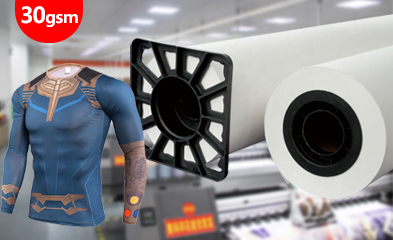
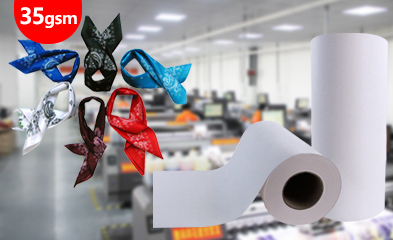
Changfa numérique Nous proposons du papier de sublimation de 29 à 100 g/m², avec des options courantes. Un papier plus léger peut accélérer l'impression, tandis qu'un papier de poids moyen ou plus lourd peut convenir à différentes quantités d'encre. Il est conseillé aux acheteurs de tester le papier avec la vitesse d'impression réelle et le type de tissu utilisé.
L'alimentation, la tension et l'étalonnage ne sont pas contrôlés.
Le décalage du papier, l'alignement bidirectionnel, le mouvement des rails, la pression des rouleaux et la tension du support influent tous sur la qualité d'impression. Un léger décalage du papier, un mauvais calibrage ou une surface de rouleau non plane peuvent entraîner des rayures ou des bords irréguliers. Ceci est particulièrement important pour l'impression textile sur rouleaux longs. Un petit problème d'alimentation répété sur 100 mètres devient un problème de production, et non une simple erreur de réglage.
Comment les acheteurs peuvent-ils réduire les bandes avant la production en série ?
Tests de buse et d'impression longue durée
Ne validez pas une combinaison machine, encre ou papier à partir d'un simple échantillon. Les acheteurs doivent tester les aplats de couleur, les dégradés, les traits fins et les tirages longs. Un test d'impression continue sur 20 mètres ou plus est plus pertinent qu'une seule feuille de qualité.
Utiliser l'encre compatible avec la tête d'imprimante exacte
Vérifiez la compatibilité de l'encre avec le modèle de tête d'impression. Assurez-vous également de la fluidité, de la couverture du noir, des conditions de stockage et de son utilisation à des vitesses d'impression similaires. Pour les distributeurs, la tenue de registres précis de compatibilité des têtes d'impression permet de limiter les réclamations clients.
Choisissez votre papier en fonction de son grammage, de sa vitesse et de sa capacité d'encre.
Le choix du document doit se faire en fonction du type de poste. Papier à faible GSM Ce procédé permet une impression rapide, mais nécessite un contrôle précis du chargement et du séchage de l'encre. Le papier de grammage moyen est plus adapté aux commandes de textiles variés. Un papier plus épais peut être préférable pour certains motifs à fort pouvoir couvrant. Changfa Digital propose également des rouleaux de largeur personnalisée, de 61 cm à 320 cm, permettant ainsi aux acheteurs d'adapter le format aux imprimantes et aux calandres locales.
Utilisez des imprimantes dotées de fonctions de nettoyage et de protection de l'encre.
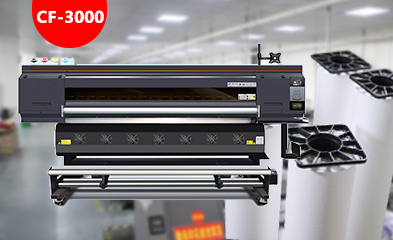
Nettoyage automatique, humidification, alarmes de niveau d'encre insuffisant, filtres, rails de guidage stables, rouleaux de pression et conception anti-collision contribuent à réduire les risques quotidiens. La gamme d'imprimantes Changfa Digital comprend des modèles tels que les CF-2000, CF-3000, CF-6000, CF-8000, 5198-8, 6198-8, Model-xplus-8 et CF-15000, offrant ainsi aux acheteurs différents choix en fonction du volume d'impression et des conditions d'atelier.
Paramètres d'enregistrement pour les commandes répétées
Chaque commande approuvée doit faire l'objet d'un enregistrement de production simple : modèle d'imprimante, paramètre PASS, lot d'encre, grammage du papier, largeur du papier, type de support, humidité, température de transfert, pression et vitesse. Sans cet enregistrement, toute nouvelle commande relève de la conjecture.
Comment les solutions doivent-elles s'adapter aux différents projets d'application ?
Les vêtements de sport et d'équipe doivent avoir des lignes épurées.
Les vêtements de sport comportent souvent des numéros, des logos, des aplats de couleurs vives et sont confectionnés en tissu extensible. Les lignes discontinues autour des numéros ou les couleurs peu contrastées sur les empiècements foncés sont facilement visibles. Il est donc conseillé aux acheteurs de tester la netteté des lignes, la qualité des grandes zones noires et l'élasticité du tissu après le transfert.
Les textiles de maison nécessitent une stabilité à grande échelle
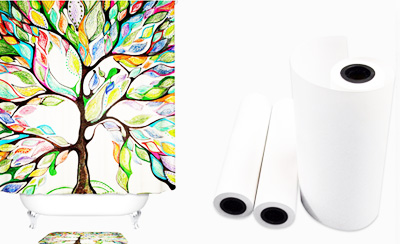
Les rideaux, le linge de lit, les coussins et les rideaux de douche présentent une couleur sur une grande surface. Des bandes peuvent apparaître sur un panneau après la pose. L'alimentation en rouleaux longs, la planéité du papier et le contrôle des couleurs par lot doivent être vérifiés simultanément.
La signalétique souple nécessite des dégradés doux.
Les drapeaux, bannières, toiles lumineuses et supports graphiques d'exposition utilisent souvent des dégradés et des fonds unis. Les acheteurs doivent tester soigneusement les modes d'impression haute vitesse. Les délais d'un salon professionnel laissent peu de place aux réimpressions.
FAQ (questions fréquentes)
Q1 : Qu'est-ce qui provoque l'apparition de bandes lors de l'impression par sublimation ?
A1 : Les causes courantes incluent les buses bouchées, un flux d'encre instable, un mauvais alignement de la tête d'impression, des paramètres PASS inappropriés, des problèmes de séchage du papier, l'humidité, des erreurs d'alimentation ou une encre qui ne correspond pas à la tête d'impression.
Q2 : Le papier de sublimation peut-il provoquer des lignes brisées ?
A2 : Le papier ne bloque pas directement la buse, mais un papier inadapté peut aggraver le problème de bandes. Une mauvaise absorption, un séchage lent, des plis, de l’humidité ou une alimentation instable peuvent entraîner un tirage irrégulier et des défauts de transfert visibles.
Q3 : Que doivent tester les acheteurs avant de passer des commandes de sublimation en gros ?
A3 : Les acheteurs doivent tester les buses, l’impression en grande série, les aplats de couleur, les dégradés, le tissu, le grammage du papier, la compatibilité des encres, la température de transfert, la pression et le service après-vente. La quantité minimale de commande, la largeur personnalisée, l’emballage et les pièces détachées doivent également être confirmés.


