


เหตุใดหมึกพิมพ์ซับลิเมชั่นสำหรับเครื่องพิมพ์ Epson จึงมีลักษณะแตกต่างกันหลังจากผ่านกระบวนการถ่ายเทความร้อน?
ขายร้อน
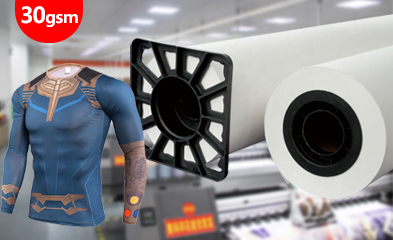
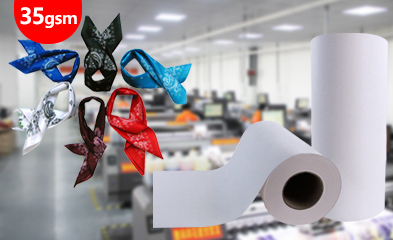
การประยุกต์ใช้งาน

+86-15215969856 E-Mail: 396838165@qq.com
ลายเดียวกันนั้นแทบจะไม่เหมือนกันเลยเมื่อพิมพ์ลงบนกระดาษซับลิเมชั่นที่เพิ่งพิมพ์เสร็จใหม่ๆ กับเมื่อพิมพ์ลงบนโพลีเอสเตอร์หลังจากใช้ความร้อนในการถ่ายโอน หมึกซับลิเมชั่น Epson ขั้นตอนแรกคือการลงสีเป็นช่องสี CMYK แยกกัน แต่ภาพบนกระดาษเป็นเพียงขั้นตอนกลางเท่านั้น การเคลือบกระดาษ ปริมาณหมึก สีรองพื้นโพลีเอสเตอร์ อุณหภูมิ เวลา แรงดัน และความสม่ำเสมอของการสัมผัส ล้วนมีผลต่อการพัฒนาสีขั้นสุดท้าย
บริเวณสีเข้มทำให้ความแตกต่างเหล่านี้เห็นได้ชัดเจนเป็นพิเศษ ความหนาแน่นของสีดำที่ต่ำ ช่องทางหัวฉีดที่ขาดหาย การปล่อยหมึกที่ไม่สม่ำเสมอ หรือฐานโพลีเอสเตอร์สีเข้ม อาจทำให้รายละเอียดในส่วนเงาหายไป แม้ว่าสีที่อ่อนกว่าจะดูดีก็ตาม หมึกพิมพ์ระเหิด CMYK ซีรี่ส์ 1962 สามารถใช้งานร่วมกับหัวพิมพ์ Epson DX4, DX5 และ DX7 และทำงานได้ภายในกระบวนการถ่ายโอนจากกระดาษไปยังโพลีเอสเตอร์ ซึ่งเป็นตัวกำหนดผลลัพธ์สุดท้าย
เหตุใดภาพเดียวกันจึงดูแตกต่างกันเมื่อพิมพ์ลงบนกระดาษและโพลีเอสเตอร์?
จอภาพ แผ่นพิมพ์ และสิ่งทอที่ถ่ายโอนสี สร้างสีในรูปแบบที่แตกต่างกัน จอภาพเปล่งแสง กระดาษกักเก็บสีย้อมที่ยังไม่ถูกกระตุ้น และโพลีเอสเตอร์สะท้อนแสงผ่านสีย้อมที่เคลื่อนตัวเข้าไปในวัสดุระหว่างการให้ความร้อน ดังนั้น การตัดสินสีที่ถูกต้องจึงควรเปรียบเทียบขั้นตอนการผลิตที่ถูกต้อง แทนที่จะคาดหวังว่าทุกขั้นตอนจะออกมาเหมือนกัน
ลักษณะสีบนกระดาษซับลิเมชั่น
กระดาษซับลิเมชั่นที่พิมพ์ใหม่ๆ มักจะดูเรียบหรือหมองกว่าผ้าที่พิมพ์เสร็จแล้ว สารเคลือบจะกักเก็บสีย้อมไว้ใกล้พื้นผิวจนกว่าความร้อนจะปลดปล่อยสีย้อมออกมา ความขาวของกระดาษ ความสม่ำเสมอของสารเคลือบ และปริมาณหมึกที่พิมพ์ลงไปก็มีผลต่อลักษณะที่ปรากฏชั่วคราวเช่นกัน การพิมพ์บนกระดาษที่เข้มกว่าไม่ได้หมายความว่าสีที่ได้จะผิดเสมอไป
การกระตุ้นสีย้อมระหว่างการถ่ายเทความร้อน
ความร้อนทำให้หมึกพิมพ์แบบระเหยสีหลุดออกจากกระดาษและแทรกซึมเข้าไปในโครงสร้างของโพลีเอสเตอร์ เมื่อสีพัฒนาบนเนื้อผ้า ความอิ่มตัวและความคมชัดก็จะเพิ่มขึ้น การให้ความร้อนไม่สมบูรณ์จะทำให้สีบางส่วนติดอยู่บนกระดาษ ในขณะที่แรงกดที่ไม่สม่ำเสมอจะทำให้เกิดบริเวณที่มีความสามารถในการถ่ายโอนสีแตกต่างกัน ตัวอย่างที่ถ่ายโอนแล้วจึงเป็นข้อมูลอ้างอิงที่สำคัญสำหรับการผลิต
สีพื้นโพลีเอสเตอร์และการสะท้อนแสงบนพื้นผิว
สีย้อมแบบระเหิดจะไม่สร้างชั้นสีขาวทึบแสงอยู่ใต้ภาพ โพลีเอสเตอร์สีขาวหรือสีอ่อนจะสะท้อนแสงผ่านสีที่ถ่ายโอนได้มากกว่า ในขณะที่พื้นผิวสีเข้มจะดูดซับแสง เนื้อผ้า ความมันเงา และปริมาณโพลีเอสเตอร์ในผ้าสามารถเปลี่ยนแปลงผลลัพธ์ที่มองเห็นได้ ดังนั้น ผ้าสองชนิดอาจแสดงสีที่แตกต่างกันได้ แม้ว่าจะพิมพ์จากไฟล์กระดาษเดียวกันก็ตาม
ความหนาแน่นของสีดำและรายละเอียดของเงา
การไล่ระดับสีเข้มขึ้นอยู่กับความเข้มของสีดำที่คงที่ ช่องสีรองที่สมดุล และแสงสะท้อนจากพื้นผิวที่เพียงพอ ช่องสีดำที่อ่อนเกินไปจะทำให้สีทึบดูเป็นสีเทา ในขณะที่หมึกผสมที่มากเกินไปอาจทำให้รายละเอียดเงาที่ละเอียดหายไป บนวัสดุโพลีเอสเตอร์สีเข้ม การสะท้อนแสงที่จำกัดจะทำให้ผลกระทบทั้งสองรุนแรงขึ้น การประเมินสีดำควรรวมถึงการไล่ระดับสีที่เป็นกลาง การเติมสีทึบ และเงาที่มีรายละเอียด
หัวพิมพ์และระบบการไหลของหมึกของ Epson ส่งผลต่อสีที่ได้มากน้อยเพียงใด?
เครื่องพิมพ์สร้างภาพต้นฉบับขึ้นมาเป็นครั้งแรก หมึกพิมพ์ซับลิเมชั่นที่ใช้งานได้ดีนั้นยังคงขึ้นอยู่กับหัวฉีดที่สะอาด การไหลของหมึกที่สม่ำเสมอ และการจ่ายหมึกที่เสถียร ปัญหาที่เกิดขึ้นในส่วนนี้จะยังคงมองเห็นได้หลังจากการถ่ายโอน และอาจรุนแรงขึ้นในส่วนที่มีการไล่ระดับสี พื้นที่สีทึบซ้ำๆ และการผลิตจำนวนมาก
ความเข้ากันได้ของหัวพิมพ์ Epson DX4/DX5/DX7
หมึกซีรี่ส์ 1962 ออกแบบมาสำหรับหัวพิมพ์ Epson DX4, DX5 และ DX7 การเลือกใช้หมึกให้ตรงกับตระกูลหัวพิมพ์จะช่วยให้ได้สภาวะการพ่นหมึกและการไหลที่เหมาะสม อย่างไรก็ตาม การตั้งค่าเครื่องพิมพ์ที่ถูกต้องนั้นยังรวมถึงตัวลดแรงดัน ท่อส่งหมึก สภาวะการบำรุงรักษา การตั้งค่า RIP และประวัติการใช้หมึกก่อนหน้า ดังนั้นควรพิจารณาความเข้ากันได้ร่วมกับเส้นทางการไหลของหมึกทั้งหมดด้วย
สภาพหัวฉีดและความสม่ำเสมอของช่องทาง
หัวฉีดสีฟ้าหรือสีม่วงแดงที่หายไปอาจทำให้สีเพี้ยน ในขณะที่หัวฉีดสีดำที่ไม่สม่ำเสมออาจทำให้สีเข้มแตกเป็นแถบที่มองเห็นได้ชัดเจน รูปแบบดังกล่าวอาจเกิดขึ้นซ้ำๆ ในช่วงเวลาปกติทั่วทั้งกระดาษ การทดสอบหัวฉีดทันทีก่อนพิมพ์ตัวอย่างควบคุมจะช่วยแยกปัญหาของช่องทางการพิมพ์ออกจากปัญหาการหลุดลอกของกระดาษหรือความแปรปรวนของการถ่ายเทความร้อนในขั้นตอนต่อมา
สมดุล CMYK และความครอบคลุมสีดำ
การปรับสมดุลสี CMYK เป็นตัวกำหนดสีเทาที่เป็นกลาง โทนสีผิว การไล่ระดับสี และสีดำเข้มแบบผสม หากช่องสีใดช่องหนึ่งอ่อนลง ภาพที่เป็นกลางอาจเปลี่ยนไปเป็นสีอื่นได้ การครอบคลุมสีดำที่เข้มข้นยังต้องการสีสนับสนุนที่ควบคุมได้มากกว่าการใช้หมึกทั้งหมดอย่างไม่จำกัด เอาต์พุตของช่องสีที่เสถียรจะช่วยให้เงาดูหนาแน่นโดยไม่สูญเสียความแตกต่างเล็กน้อยระหว่างโทนสีเข้มที่อยู่ติดกัน
ความหนืดของหมึกและความเสถียรในการพิมพ์ต่อเนื่อง
หมึกต้องไหลผ่านระบบส่งหมึกและเติมเต็มห้องเผาไหม้อย่างสม่ำเสมอในระหว่างการพิมพ์ต่อเนื่อง การไหลที่เปลี่ยนแปลงไปในระหว่างการพิมพ์ระยะยาวอาจทำให้ความหนาแน่นของหมึกเปลี่ยนแปลง การพิมพ์สะดุดชั่วคราว หรือความแตกต่างระหว่างเมตรแรกและเมตรสุดท้าย คุณสมบัติเด่นของเครื่องพิมพ์ซีรี่ส์ 1962 คือ ความหนืดต่ำและความเสถียรในการพิมพ์ ซึ่งเหมาะสมกับการใช้งานในบริบทนี้
หมึกพิมพ์ซับลิเมชั่น CMYK ซีรี่ส์ 1962
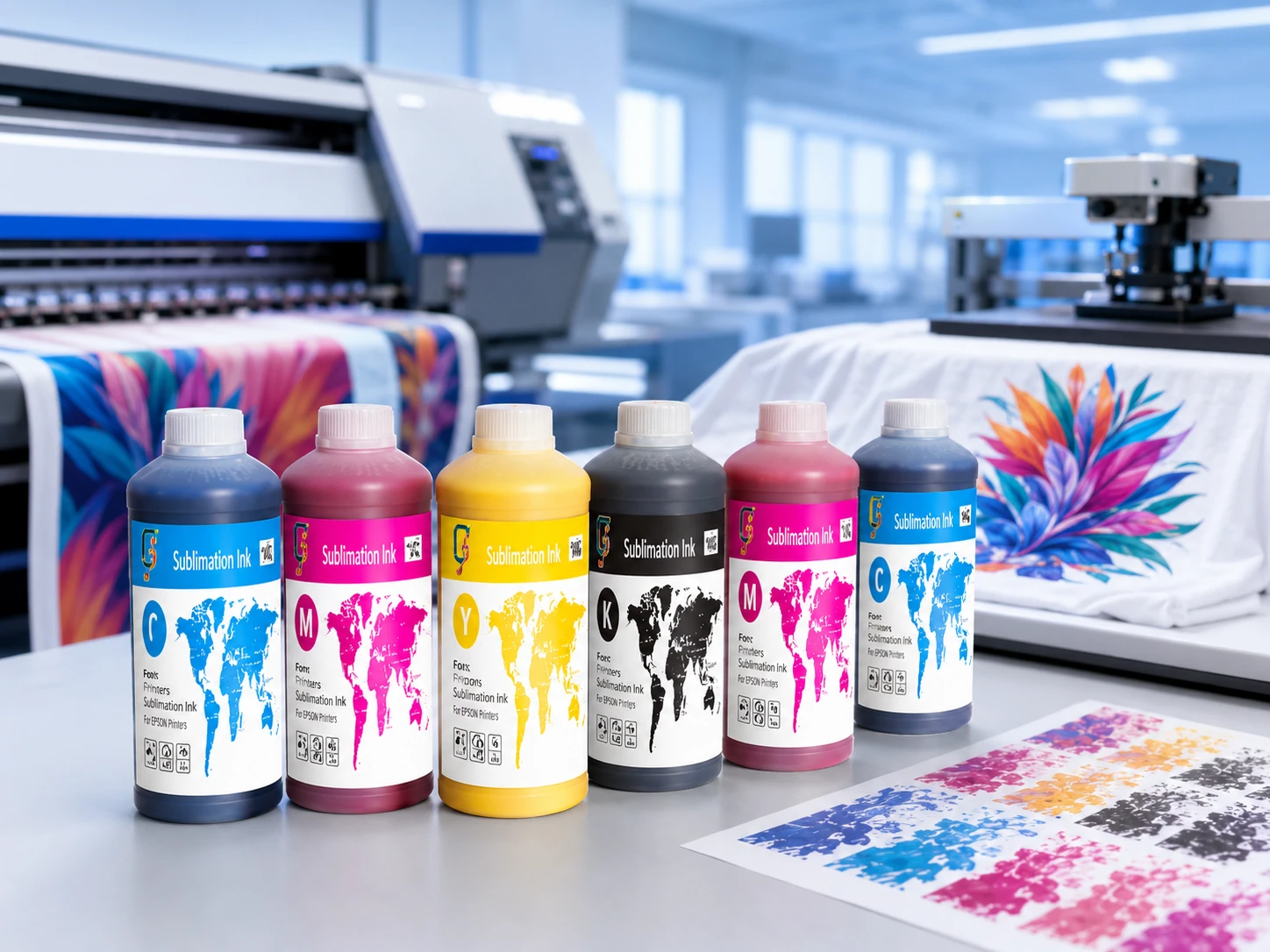
Changfa Digital เป็นผู้จัดจำหน่าย หมึกพิมพ์ซับลิเมชั่น CMYK ซีรี่ส์ 1962 บรรจุในขวดขนาด 1 ลิตร คุณสมบัติที่ระบุไว้ ได้แก่ ความเข้มของสีสูง ความหนืดต่ำ ประสิทธิภาพการถ่ายโอน และความเสถียรในการพิมพ์สำหรับหัวพิมพ์ Epson DX4, DX5 และ DX7 คุณสมบัติเหล่านี้คำนึงถึงขั้นตอนของหมึกและหัวพิมพ์ก่อนที่ตัวแปรของกระดาษและการถ่ายโอนความร้อนจะกำหนดรูปร่างของสิ่งทอขั้นสุดท้าย
กระดาษ โพลีเอสเตอร์ และสภาวะการถ่ายโอนความร้อน มีผลต่อสีสุดท้ายอย่างไร?
ผลลัพธ์ที่คงที่บนกระดาษอาจเปลี่ยนแปลงได้ในระหว่างการถ่ายโอน ม้วนกระดาษซับลิเมชั่นควบคุมการกักเก็บและการปล่อยหมึกชั่วคราว โพลีเอสเตอร์ควบคุมการรับและการสะท้อนแสง และเครื่องกดความร้อนควบคุมพลังงานและการสัมผัสที่ใช้กับวัสดุทั้งสอง ผลลัพธ์ที่สม่ำเสมอต้องอาศัยวัสดุและเงื่อนไขเหล่านี้ทำงานร่วมกัน
การเคลือบกระดาษและการปล่อยหมึก
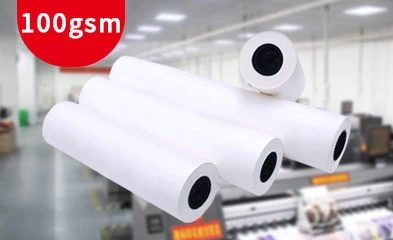
การเคลือบที่สม่ำเสมอจะช่วยให้หมึกอยู่ใกล้พื้นผิวกระดาษและปล่อยออกมาในระหว่างการให้ความร้อน การดูดซับที่ไม่สม่ำเสมออาจทำให้เกิดความหนาแน่นที่แตกต่างกันในบางจุดก่อนที่แผ่นกระดาษจะถึงเครื่องพิมพ์ การเคลือบที่เหมาะสม กระดาษ sublimation ม้วน ควรผสานการดูดซับหมึกที่ควบคุมได้ การป้อนหมึกที่ราบรื่น และการปล่อยหมึกที่สม่ำเสมอ เพื่อให้เหมาะสมกับปริมาณหมึกและความเร็วของเครื่องพิมพ์ที่ต้องการ
ปริมาณหมึก การอบแห้ง และความคมชัดของขอบ
การพิมพ์ภาพหนาเกินไปจะทำให้มีของเหลวเคลือบอยู่บนกระดาษมากขึ้น หากกระดาษไม่สามารถรับและดูดซับของเหลวนั้นได้ เส้นริ้วเล็กๆ จะกระจายออก ขอบภาพจะอ่อนลง หรือบริเวณที่เปียกชื้นอาจสัมผัสกับเครื่องพิมพ์และระบบรับกระดาษ กระดาษที่แห้งเร็วจะช่วยปกป้องความคมชัดของภาพ แต่ปริมาณหมึก RIP ต้องสอดคล้องกับชนิดของกระดาษที่เลือกใช้ ความครอบคลุมของภาพ ความชื้นในห้องทำงาน และความเร็วในการผลิตด้วย
ส่วนประกอบของโพลีเอสเตอร์และพื้นผิวผ้า
กระบวนการพิมพ์แบบใช้กระดาษเป็นฐานจะถ่ายโอนสีย้อมไปยังโพลีเอสเตอร์แทนการใช้ชุดสี 1962 กับผ้าโดยตรง วัสดุที่มีโพลีเอสเตอร์สูงมักจะรับสีจากการพิมพ์แบบระเหิดได้ดีกว่าผ้าผสมที่มีโพลีเอสเตอร์ต่ำ สีพื้นฐาน การทอ เนื้อสัมผัสของผ้าถัก การตกแต่ง และความมันเงาของพื้นผิว ล้วนสามารถเปลี่ยนแปลงการสะท้อนแสงและความอิ่มตัวของสีที่ปรากฏ โดยเฉพาะอย่างยิ่งในโทนสีเข้มและการไล่ระดับสีแบบภาพถ่าย
อุณหภูมิ เวลา และความดัน
อุณหภูมิควบคุมการกระตุ้นสีย้อม เวลาควบคุมระยะเวลาการถ่ายโอน และแรงดันช่วยรักษาการสัมผัสระหว่างกระดาษพิมพ์กับโพลีเอสเตอร์ พลังงานไม่เพียงพอทำให้สีจาง พลังงานมากเกินไปหรือสภาวะที่ไม่เหมาะสมอาจทำให้รายละเอียดเบลอหรือเปลี่ยนลักษณะของผ้าได้ การผสมผสานที่ถูกต้องขึ้นอยู่กับกระดาษ ปริมาณหมึก วัสดุโพลีเอสเตอร์ และอุปกรณ์ถ่ายโอนความร้อน
การสัมผัส การจัดแนว และความสม่ำเสมอในการถ่ายโอน
รอยย่น ขอบกระดาษที่ติดขัด กระดาษที่เคลื่อนตัว หรือการสัมผัสของเครื่องพิมพ์ที่ไม่สม่ำเสมอ จะทำให้เกิดบริเวณที่มีแสงส่องผ่านและเส้นขอบที่ไม่ชัดเจน การใช้กระดาษเรียบและจัดวางให้ตรงจะช่วยให้ภาพคงที่ในขณะที่ใช้ความร้อน แรงกดที่สม่ำเสมอทั่วทั้งความกว้างของชิ้นงานมีความสำคัญอย่างยิ่งสำหรับงานพิมพ์สีทึบขนาดใหญ่ แผ่นภาพยาว และลวดลายที่ซ้ำกัน ซึ่งทำให้เห็นความแตกต่างเล็กน้อยได้ง่าย
การเปลี่ยนสีแบบใดที่บ่งชี้ว่าเป็นการพิมพ์ด้วยหมึก กระดาษ หรือการถ่ายโอนความร้อน?
รูปร่างและตำแหน่งของความผิดปกติของสีให้เบาะแสที่เป็นประโยชน์ ปัญหาที่เกิดขึ้นทั่วทั้งภาพบ่งชี้ว่าจุดเริ่มต้นอาจแตกต่างจากกรณีที่ช่องสีหายไปเพียงช่องเดียวหรือขอบสีซีดจาง การอ่านอาการก่อนที่จะเปลี่ยนการตั้งค่าจะช่วยป้องกันการปรับตัวแปรหลายตัวพร้อมกัน และทำให้การเปรียบเทียบครั้งต่อไปมีความหมายมากขึ้น
การเปลี่ยนแปลงสีของภาพโดยรวม
โทนสีที่สม่ำเสมอในทุกพื้นที่อาจเกิดจากความสมดุลของ CMYK โปรไฟล์ RIP ชุดหมึกที่เปลี่ยนแปลงไป พฤติกรรมการปล่อยกระดาษที่กว้าง หรือพลังงานการถ่ายโอน เปรียบเทียบสีกลางและสีอ้างอิงที่ทราบแล้วบนกระดาษและสิ่งทอ หากกระดาษแสดงการเปลี่ยนแปลงอยู่แล้ว ให้เริ่มต้นที่ผลลัพธ์จากเครื่องพิมพ์ หากปรากฏขึ้นหลังจากกดพิมพ์เท่านั้น ให้เน้นที่วัสดุและเงื่อนไขการถ่ายโอน
ช่องสีหายไปและเกิดแถบสี
แถบแนวนอนที่ปรากฏเป็นประจำหรือการสูญเสียสีใดสีหนึ่งอย่างกะทันหัน มักบ่งชี้ถึงปัญหาที่รูปแบบหัวฉีดหรือระบบจ่ายหมึก การทดสอบหัวฉีดใหม่สามารถช่วยเปิดเผยหัวฉีดที่ขาดหายไปก่อนที่จะทำการพิมพ์ครั้งต่อไป หากการทดสอบสะอาด แต่มีแถบปรากฏขึ้นตามการป้อนกระดาษหรือการเคลือบ แสดงว่าปัญหาอาจเกิดจากการจัดการวัสดุพิมพ์ รูปแบบของข้อบกพร่องจะช่วยแยกแยะสองสาเหตุนี้ได้
สีดำจางและรายละเอียดเงาหายไป
สีดำที่จางอาจเกิดจากปริมาณสีดำที่ส่งออกมาลดลง สีผสมที่ไม่สมดุล การถ่ายโอนที่ไม่สมบูรณ์ หรือวัสดุรองรับที่สะท้อนแสงน้อยเกินไป รายละเอียดในส่วนเงาที่หายไปอาจเกิดจากปริมาณหมึกทั้งหมดที่มากเกินไปซึ่งทำให้โทนสีใกล้เคียงกันผสมปนเปกัน การทดสอบการไล่ระดับสีเทาที่ถ่ายโอนลงบนโพลีเอสเตอร์สำหรับการผลิตจะแสดงให้เห็นว่าความหนาแน่นและการแยกสีนั้นยังคงใช้งานร่วมกันได้หรือไม่
ขอบภาพเบลอและการถ่ายโอนภาพไม่สม่ำเสมอ
ขอบที่ไม่คมชัดมักเกิดจากหมึกมากเกินไป การแห้งช้า การเคลื่อนตัวของกระดาษ หรือรอยหมึกซึม ส่วนความหนาแน่นที่ไม่สม่ำเสมอ มักเกิดจากการเคลือบที่ไม่สม่ำเสมอ แรงกด อุณหภูมิ หรือการสัมผัสที่ไม่ทั่วถึง การตรวจสอบว่าข้อบกพร่องนั้นปรากฏให้เห็นบนกระดาษแล้วหรือไม่ จะช่วยระบุจุดที่ข้อบกพร่องนั้นปรากฏขึ้นเป็นครั้งแรก และหลีกเลี่ยงการเปลี่ยนแปลงที่ไม่จำเป็นในขั้นตอนอื่นๆ
ความแปรผันของสีระหว่างตัวอย่างกับล็อตการผลิต
ตัวอย่างที่ประสบความสำเร็จอาจเปลี่ยนแปลงไปในระหว่างการผลิตได้ เมื่อสภาพของหัวฉีด การไหลของหมึก คุณสมบัติของม้วนกระดาษ ล็อตของผ้า หรือสภาวะการกดด้วยความร้อนเปลี่ยนแปลงไป การเปลี่ยนแปลงแต่ละครั้งอาจเล็กน้อย แต่การเปลี่ยนแปลงหลายอย่างอาจสะสมกันได้ เอกสารอ้างอิงการผลิตควรเก็บรักษาตัวอย่างที่ถ่ายโอนแล้วซึ่งได้รับการอนุมัติแล้ว พร้อมกับเครื่องพิมพ์ กระดาษ โพลีเอสเตอร์ และการตั้งค่าความร้อนที่ใช้ในการผลิต
อะไรที่ทำให้สีคงที่สม่ำเสมอในการพิมพ์ซ้ำหลายครั้ง?
การผลิตซ้ำขึ้นอยู่กับการควบคุมห่วงโซ่การผลิตเดียวกันกับที่สร้างตัวอย่างที่ได้รับการอนุมัติ หมึก กระดาษ โพลีเอสเตอร์ และการตั้งค่าความร้อนไม่ใช่รายละเอียดที่สามารถเปลี่ยนแทนกันได้ การป้อนข้อมูลที่เสถียรและการตั้งค่าที่ตรวจสอบได้ทำให้การผลิตสีซ้ำทำได้ง่ายขึ้นหลังจากหยุดชะงัก ระหว่างการพิมพ์บนม้วนอื่น หรือเมื่อคำสั่งซื้อกลับมาอีกครั้งในอีกหลายสัปดาห์ต่อมา
สภาวะหัวฉีดและการไหลของหมึกที่เสถียร
รูปแบบหัวฉีดที่สม่ำเสมอและการไหลของช่องทางที่ไม่สะดุด ช่วยให้การพิมพ์ CMYK ใกล้เคียงกับตัวอย่างที่ได้รับการอนุมัติ การพิมพ์จำนวนมากจะได้รับประโยชน์จากการตรวจสอบหัวฉีดอย่างสม่ำเสมอในช่วงพักการผลิต และการหลีกเลี่ยงการเปลี่ยนแปลงสภาพหมึกอย่างฉับพลัน เมื่อความหนาแน่นเริ่มเปลี่ยนแปลงบนกระดาษ การแก้ไขเอาต์พุตของแหล่งกำเนิดจะมีประสิทธิภาพมากกว่าการชดเชยด้วยการตั้งค่าการถ่ายเทความร้อนที่แรงขึ้น
กระดาษซับลิเมชั่นแบบสม่ำเสมอ
น้ำหนักของสารเคลือบ สภาพความชื้น ความเรียบ และพฤติกรรมการแห้ง ล้วนมีผลต่อปริมาณสีย้อมที่เหลืออยู่สำหรับการปลดปล่อย. Changfa ดิจิตอล บริษัทผลิตกระดาษซับลิเมชั่นโดยผ่านกระบวนการเคลือบและตัด และยังให้บริการงานพิมพ์ดิจิทัลอีกด้วย ขอบเขตการผลิตกระดาษและการพิมพ์นี้ช่วยให้สามารถจับคู่ระหว่างน้ำหนักกระดาษ ปริมาณหมึก และความเร็วในการผลิตได้อย่างเหมาะสม
ความสม่ำเสมอของวัสดุโพลีเอสเตอร์
การเปลี่ยนแปลงเปอร์เซ็นต์ของโพลีเอสเตอร์ สีพื้นฐาน การตกแต่ง หรือโครงสร้างพื้นผิว อาจส่งผลต่อลวดลายที่ถ่ายโอนได้ ควรเปรียบเทียบม้วนผ้าที่ใช้สำหรับการสั่งซื้อซ้ำภายใต้แสงสว่างเดียวกันก่อนการผลิต เมื่อวัสดุพื้นฐานเปลี่ยนไป ตัวอย่างที่ถ่ายโอนใหม่จะให้ข้อมูลอ้างอิงที่น่าเชื่อถือมากกว่าการใช้กระดาษหรือการปรับแต่ง RIP เดิมโดยไม่เปลี่ยนแปลง
การควบคุมอุณหภูมิ เวลา และความดันในการถ่ายโอน
การบันทึกการตั้งค่าเครื่องพิมพ์ทำให้การเปรียบเทียบผลลัพธ์ที่ทำซ้ำได้ง่ายขึ้น แต่ตัวเลขต้องตรงกับเครื่องจริง ความเร็ว แรงกด และการสัมผัสกับผ้า ทีมงานในโรงงานควรจดบันทึกสภาวะการอุ่นเครื่องและความกว้างในการทำงานเมื่อมีผลต่อความสม่ำเสมอ ผลลัพธ์ของหมึกพิมพ์ถ่ายเทความร้อนที่ทำซ้ำได้นั้นมาจากการใช้พลังงานและการสัมผัสที่สม่ำเสมอ ไม่ใช่ค่าอุณหภูมิเพียงอย่างเดียว
หมึกพิมพ์ CMYK ซีรี่ส์ 1962 สำหรับงานพิมพ์บนเครื่องพิมพ์ Epson
หมึกพิมพ์ซีรีส์ 1962 นำเสนอตัวเลือกหมึก CMYK ที่กำหนดไว้สำหรับเวิร์กโฟลว์ Epson DX4, DX5 และ DX7 ความหนืดต่ำ ความเข้มของสี ประสิทธิภาพการถ่ายโอน และความเสถียรในการพิมพ์ ช่วยตอบโจทย์ตั้งแต่ต้นทางจนถึงปลายทาง เมื่อรวมกับกระดาษซับลิเมชั่น วัสดุโพลีเอสเตอร์ และสภาวะการพิมพ์ที่สม่ำเสมอ หมึกสามารถประเมินได้โดยเทียบกับตัวอย่างอ้างอิงที่ใช้ในการผลิตประจำวัน
ข้อสรุป
การตรวจสอบความแตกต่างของสีจะทำได้ง่ายขึ้นเมื่อพิจารณาถึงกระดาษพิมพ์ สภาพหัวฉีด การไหลของหมึก การหลุดออกจากกระดาษ สีพื้นฐานของโพลีเอสเตอร์ และการตั้งค่าการถ่ายโอนความร้อนเป็นกระบวนการเดียวกัน ภาพบนกระดาษเป็นเพียงสถานะกลาง ส่วนโพลีเอสเตอร์ที่ถ่ายโอนแล้วคือผลิตภัณฑ์อ้างอิงขั้นสุดท้าย รูปทรงของข้อบกพร่องจะช่วยให้แยกแยะความแตกต่างระหว่างการสูญเสียช่องสี สีดำจาง พฤติกรรมของกระดาษ และการกดที่ไม่สม่ำเสมอได้
เครื่องพิมพ์ซีรีส์ 1962 ให้ตัวเลือกหมึกพิมพ์ถ่ายเทความร้อน CMYK สำหรับหัวพิมพ์ Epson DX4, DX5 และ DX7 ในขณะที่กระดาษและเงื่อนไขการถ่ายโอนที่สม่ำเสมอช่วยรักษาสีสันตั้งแต่ตัวอย่างจนถึงการผลิตซ้ำ ร้านพิมพ์สามารถแชร์รุ่นเครื่องพิมพ์ กระดาษ วัสดุโพลีเอสเตอร์ และพารามิเตอร์การถ่ายโอนกับ Changfa Digital ได้ ทีมติดต่อ เพื่อระบุชุดหมึกและกระดาษที่เหมาะสม
คำถามที่พบบ่อย
คำถามที่ 1: เหตุใดสีที่พิมพ์ด้วยระบบซับลิเมชั่นจึงดูหมองคล้ำบนกระดาษก่อนการถ่ายโอนความร้อน?
A1: แผ่นพิมพ์เป็นเพียงขั้นตอนกลาง สารเคลือบจะกักเก็บสีย้อมไว้ก่อนที่ความร้อนจะปล่อยสีย้อมลงสู่โพลีเอสเตอร์ ดังนั้นสีของกระดาษจึงอาจดูเรียบกว่าผลลัพธ์ที่ได้จากการถ่ายโอนสี ควรตัดสินสีสุดท้ายจากการถ่ายโอนสีอย่างควบคุมบนวัสดุที่ต้องการ โดยยังคงตรวจสอบกระดาษเพื่อดูว่ามีเส้นสีขาดหาย เป็นแถบ หรือสีซึมมากเกินไปหรือไม่
Q2: เครื่องพิมพ์รุ่น 1962 สามารถพิมพ์ลงบนผ้าโพลีเอสเตอร์ได้โดยตรงหรือไม่?
A2: ซีรี่ส์ 1962 ใช้ในกระบวนการพิมพ์ซับลิเมชั่นแบบใช้กระดาษก่อน กล่าวคือ พิมพ์ลวดลายลงบนกระดาษซับลิเมชั่น จากนั้นถ่ายโอนไปยังโพลีเอสเตอร์ด้วยความร้อนและแรงดัน ไม่ได้ออกแบบมาเพื่อพิมพ์ลงบนผ้าโพลีเอสเตอร์โดยตรง สภาพของกระดาษ โพลีเอสเตอร์ และการถ่ายโอนความร้อนยังคงเป็นส่วนหนึ่งของผลลัพธ์สีสุดท้าย
Q3: หัวพิมพ์ Epson รุ่นใดบ้างที่รองรับซีรีส์ 1962?
A3: หัวพิมพ์ที่ใช้งานร่วมกันได้ที่ระบุไว้ ได้แก่ Epson DX4, DX5 และ DX7 ควรพิจารณาสภาพของเครื่องพิมพ์ เส้นทางหมึกที่มีอยู่ ตัวลดแรงสั่นสะเทือน ท่อ การบำรุงรักษา การตั้งค่า RIP กระดาษ และสภาวะการถ่ายโอน เมื่อเตรียมตัวอย่างสำหรับการผลิต


