


ขายร้อน
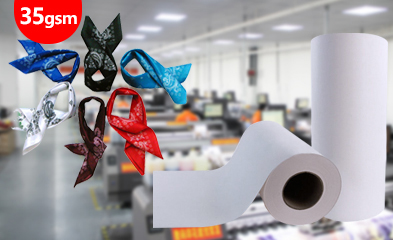
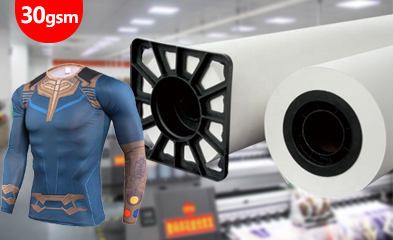
การประยุกต์ใช้งาน
Phone:+86-15215969856 E-Mail: 396838165@qq.com
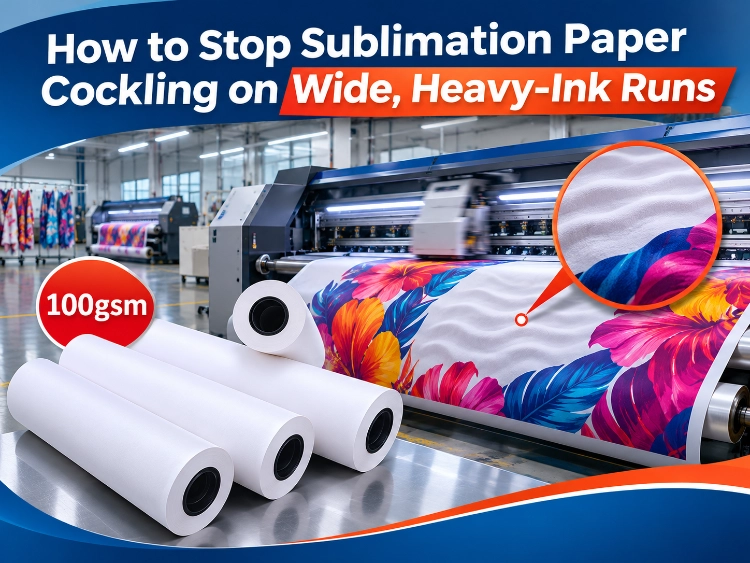
Cockling is the waviness that appears in sublimation paper while it is being printed. The sheet leaves the roll flat, takes on ink, and starts to ripple across its width before it reaches the take-up. On a narrow, light-coverage job the wave may stay harmless. On a wide roll carrying a heavy-ink design it does real damage: the print distorts at full size, the web tracks badly, and a raised ripple can meet the printhead.
Cockling is often confused with sublimation paper curling, but the two defects are made at different moments. Curl is a shape the paper already holds before printing, set by moisture, heat and storage. Cockling is created during the print pass itself, by the ink the sheet has just received. A line can fix its storage and still cockle on the first heavy job of the day, because the cause is on the printer, not in the warehouse.
Why Heavy Ink Makes the Sheet Wave
The Coating Takes the Water First
Sublimation ink is a water-based system. When it lands, the coating absorbs the liquid and swells, while the base paper underneath swells at a different rate. That uneven expansion is the wave. The printed areas grow, the unprinted areas do not, and the sheet relieves the difference by buckling. More ink in one pass means more liquid in the coating and a stronger buckle, which is why cockling follows the image: it is worst exactly where coverage is heaviest.
Coverage Decides How Much Swelling a Grade Can Take
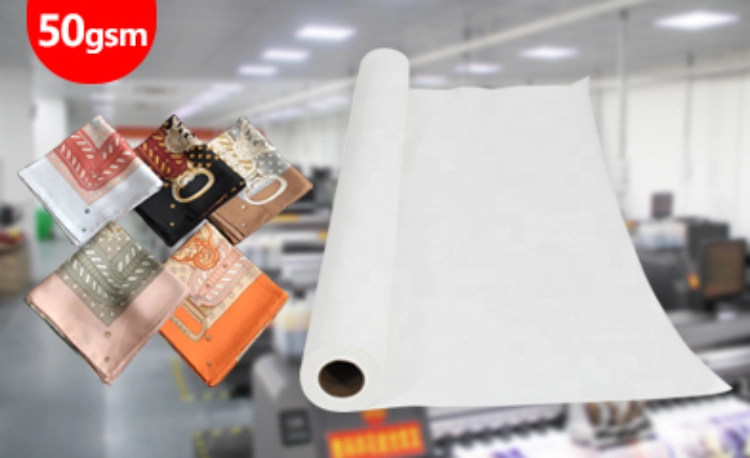
Paper grades are not equally able to absorb that liquid and stay flat. On the Changfa Digital range the maximum ink volume each grade is rated for rises with weight: the 30, 35 and 40gsm papers carry a two-star ink-load rating, the 50gsm carries three stars, and the 100gsm carries five. A two-star sheet under a saturated black background is being asked to hold more ink than its coating and base were built for, and cockling is the predictable result rather than bad luck. Heavier base paper resists the expansion with its own stiffness, so the same image that waves a light sheet can run flat on a heavy one.
Width and Speed Remove the Time to Recover
A wide web has nowhere to shed the moisture quickly. The centre of a wide roll stays wet longer than the edges, the wave builds across the full width, and at production speed the next pass of ink arrives before the sheet has settled from the last one. Long runs hold the web in that wet state continuously, which is why a job can proof acceptably on a short sample and then cockle two hundred metres into the real run.
Fixes, in the Order a Line Should Work Through Them
Match the Grade to the Coverage Before Touching Settings
The first fix is specification, not adjustment. Read the coverage of the work the roll will actually carry, then choose the grade whose ink-load rating covers it. Light and medium coverage belongs on the light grades, where it runs faster and cheaper. Solid backgrounds, deep blacks and saturated graphics belong on the heavy end of the range. The กระดาษระเหิดแห้ง 100gsm รวดเร็ว is the grade positioned for that work, with a transfer rate above 98% at full coverage. The trade is real and should be planned for: heavy grades come in shorter rolls of roughly 100 to 200 metres, so changeovers increase. Batching heavy-coverage jobs together absorbs that cost better than mixing them into light work.
Bring the Ink Limit Down to What the Job Needs
Many cockling cases are fed by the RIP. Total ink limits are often left at a general setting that lays down more dye than the fabric can use, and the surplus has to go somewhere: into the coating, as swelling. Reducing the ink limit for the specific paper and fabric combination, then proofing a solid patch at production coverage, removes liquid the print never needed. Colour is judged on the transferred fabric, not on the wet sheet, and a patch that transfers fully at a lower limit was over-inked at the higher one.
Give the Web Drying Help and a Stable Room
Dryer capacity and line speed set how much of the water leaves before the take-up. If the wave grows toward the end of a run, heat soak and a saturated drying zone are part of the cause, and a modest speed reduction returns more flatness than another pass of head cleaning. The room matters as well: paper that starts the run damp cockles sooner, so rolls should stay sealed until loading, and the print room should be held in the same moderate humidity band used for storage, around 45 to 55% relative humidity.
When Settings Stop Helping, the Grade Is Wrong
A line that has matched its ink limit, dried the web properly and still watches the sheet wave at sane settings does not have an adjustment problem. It has a specification problem, and further tuning only moves the defect around. That is the point to step the grade up and re-proof, using the same checks set out in the guide to choosing a sublimation paper weight for production. Changfa ดิจิตอล publishes the ink-load rating for every grade from 29 to 100gsm precisely so this decision can be made from the specification sheet instead of from a failed run.
ข้อสรุป
Cockling is a load problem with a visible symptom. The sheet waves because the ink it is carrying exceeds what its coating, base and drying window can hold flat, and wide, heavy-ink work pushes all three limits at once. Worked through in order — grade matched to coverage, ink limit set to the job, drying given its share of the line — most cases close without touching the printhead at all.
If a run is cockling now, send the printer model and printhead type, the grade and GSM in use, the roll width and run length, and a description of the coverage in the design. With those five facts the grade question can be answered directly, instead of by trial on production fabric.
คำถามที่พบบ่อย
Q1: Is cockling the same as curling?
A1: No. Curl is a shape the paper holds before printing, set by moisture, heat and storage history. Cockling is created during printing, when absorbed ink swells the coated surface unevenly. The fixes differ: curl is managed in storage and handling, cockling is managed by grade, ink load and drying on the line.
Q2: Can cockling damage the printhead?
A2: It can. A shallow wave only disturbs the print, but a strong ripple lifts the sheet toward the head carriage, and contact between paper and printhead is a real risk on wide, fast work. That is why cockling on heavy runs should be treated as a specification fault to remove, not a cosmetic fault to tolerate.
Q3: Which GSM should heavy-coverage work start from?
A3: Start from the ink-load rating rather than the weight alone. On the Changfa Digital range, saturated work belongs at the five-star end, the 90 and 100gsm grades, which are built to stay flat under full coverage. Light grades remain the right choice for light and medium coverage, where they run faster and cost less per metre.


