


لماذا تبدو طباعات DTF الخاصة بك رمادية: إصلاح مشاكل غموض الحبر الأبيض
بيع ساخن
Phone:+86-15215969856 E-Mail: 396838165@qq.com
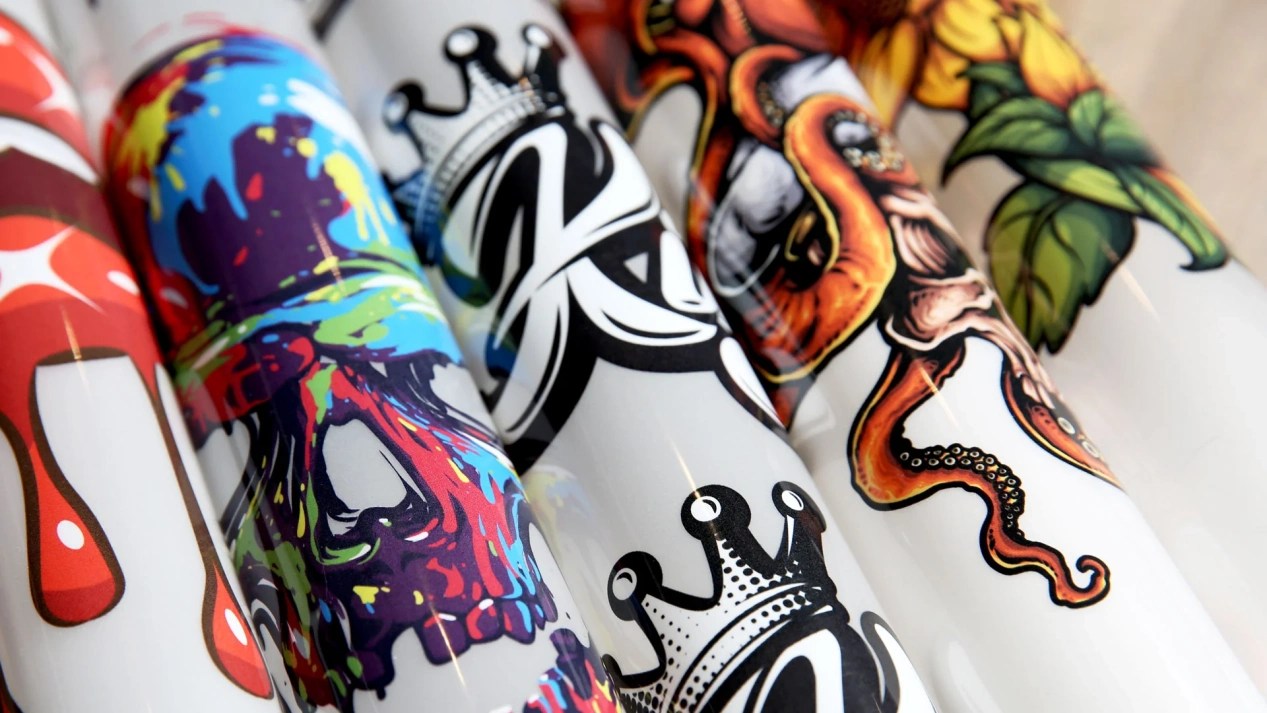
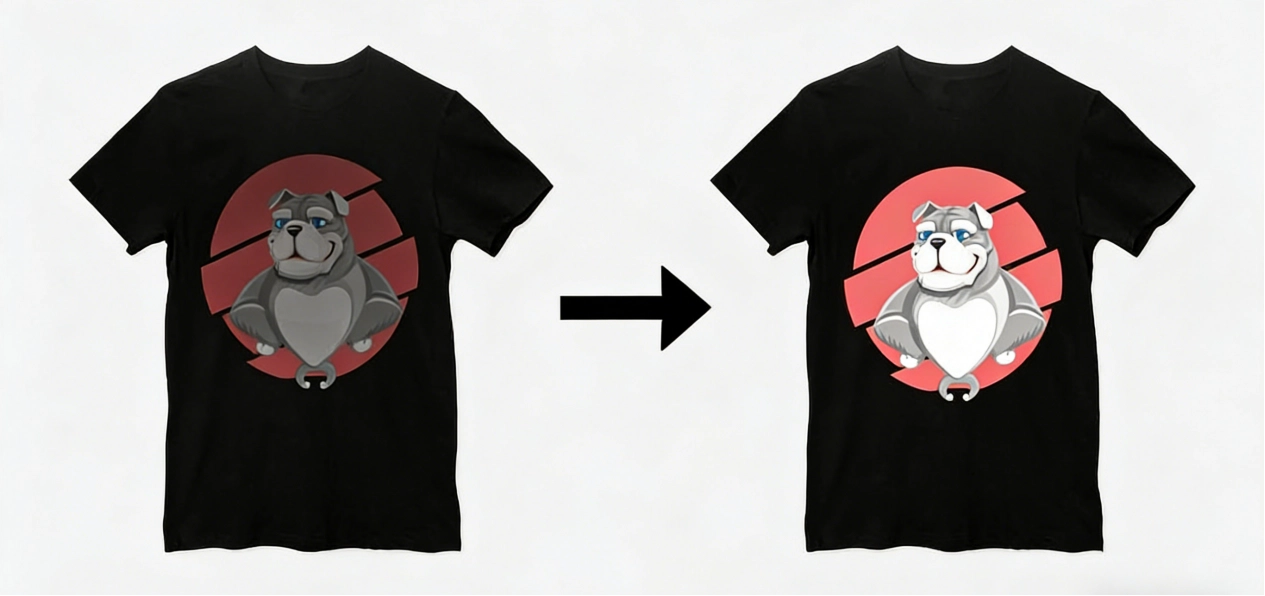
تخيل أنك قضيت ساعات لتصميم قميص مخصص و نابض بالحياة لعميل. لديك الرسم البياني المثالي ، والألوان تبدو مدهشة على الشاشة ، وتضرب الطباعة. ولكن عندما ترفع الصحافة الحرارية ، فإن النتيجة هي … الاكتئاب. بدلًا من لون أبيض واضح ، يبدو التصميم طينيًا ورماديًا. إنه كابوس شائع في عالم الطباعة المباشرة إلى الفيلم. هذا “ الرمادي” التأثير هو’ t فقط عيب طفيف؛ عادة ما تكون صراخ للمساعدة من نظام الحبر الأبيض الخاص بك. سواء كنت هواة أو تدير متجرًا كبيرًا ، فهم العلم وراء عدم شفافية الحبر الأبيض هو الفرق بين منتج ممتاز وكمة من القماش.
العلم وراء الشفافية والحبر الأبيض
يشكل الحبر الأبيض جوهر عملية DTF. في الطباعة بالنفاث الحبر العادية ، تعطي الورقة قاعدة بيضاء. ولكن في الطباعة المباشرة إلى الفيلم ، يجب على الطابعة إنشاء طبقة أساسية خاصة بها. إذا لم تكن هذه الطبقة قوية أو واضحة بما فيه الكفاية ، فإن الألوان فوقها ستختلط في القماش. يحدث هذا كثيرا على الملابس الداكنة، مثل القمصان السوداء أو القمصان الزرقاء.
فهم دور ثاني أكسيد التيتانيوم في الحبر
الصلصة السرية في أي حبر أبيض DTF عالي الجودة هي مادة كيميائية تسمى ثاني أكسيد التيتانيوم (TiO).2). هذه هي نفس المواد المستخدمة في طلاء المنزل الراقي وواقي الشمس لأنها جيدة بشكل لا يصدق في تشتت الضوء. في عالم الطباعة الرقمية ، يحدد تركيز وحجم الجسيمات لهذا المعدن كيف “ أبيض” في الواقع يبدو الأبيض. إذا كانت الجسيمات كبيرة جدا، فهي تسد رأس الطباعة الخاص بك. إذا كانت صغيرة جداً أو قليلة جداً، فإن طبعاتك تبدو رقيقة ومياه.
معظم الحبر منخفضة التكلفة تخفيض على TiO2 لتوفير المال، مما يؤدي إلى تلك المظهر الرمادي المخيف. عندما تتحول إلى حبر DTF ممتاز ، فأنت تدفع أساساً مقابل كثافة أعلى من هذه الجسيمات العاكسة للضوء. هذه الكثافة تضمن أن حتى مرور واحد من الحبر يخلق صلبة “ جدار” يمنع اللون الداكن للقميص من عرضه من خلال تصميمك.
لماذا استخدام الحبر الأبيض للطباعة DTF فريد من نوعه
على عكس ألوان CMYK، الحبر الأبيض هو تعليق، وليس الحل الحقيقي. وهذا يعني أن الجسيمات البيضاء الثقيلة تحاول باستمرار أن تغرق إلى أسفل الخزان أو الخطوط. إذا تركت الطابعة جالسة حتى لمدة 24 ساعة دون إثارة ، يصبح الحبر في رأس الطباعة رقيقًا وواضحًا ، في حين أن “ الحمأة” يبقى وراء. هذا هو السبب في أن استخدام الحبر الأبيض المتسق للطباعة DTF يتطلب عقلية مختلفة عن طباعة الورق القياسية.
تحتاج إلى التفكير في الحبر الأبيض كشيء حي يحتاج إلى التحريك. يوصي العديد من المحترفين يوميا “ حبر أبيض يهز” أو تركيب نظام الدورة الدموية. بدون ذلك ، قد يكون لديك أفضل حبر في العالم ، ولكن طباعاتك ستظل تبدو مملة لأن الصبغة الفعلية ’ t الوصول إلى الفيلم بالنسب الصحيحة.
إتقان إعدادات الحبر الأبيض DTF الخاصة بك للنجاح
حتى مع أفضل الإمدادات ، يمكن أن يفسد تكوين البرنامج الخاطئ إنتاجك. العديد من الطابعات تترك آلاتها على افتراضيات المصنع ، والتي نادراً ما يتم تصميمها لمتطلبات عالية الشفافية للملابس المهنية. عليك التحكم في كمية الحبر التي يتم وضعها وكيفية تفاعلها مع سطح الفيلم.
فينضبط تكوينات برنامج RIP الخاص بك
يتحكم برنامج RIP (معالج الصورة المصغرة) في التفاصيل. لحل الطباعات الرمادية، تحقق من إعدادات الحبر الأبيض DTF عن كثب. خطأ متكرر هو تعيين “ الحبر الأبيض الأسفل” منخفض جداً. بالنسبة للأقمشة الداكنة ، قد تحتاج إلى تغطية بيضاء بنسبة 100٪ أو حتى 150٪ حتى تبرز الألوان. إذا كان عند 60٪ فقط ، فإن المادة السوداء ستخدع الألوان في كل مرة.
إلقاء نظرة على “ خنق” أو “ انتشار” خيار. يحدد كم ينتشر الحبر الأبيض تحت جزء CMYK. إذا كانت المنطقة ضيقة جدًا ، فسترى مخططًا أبيضًا ضعيفًا. إذا كان واسعًا جدًا ، فإن الأبيض يفشل في دعم الألوان بالكامل. هذا يؤدي إلى حدود ناعمة أو رمادية. اختبار هذه القيم هو جزء طبيعي من التحسن في هذا.
إدارة درجة الحرارة والرطوبة في غرفة العمل
هل تعلم أن انخفاض درجة حرارة الغرفة بمقدار 10 درجات يمكن أن يغير لزوجة حبر DTF الأبيض؟ إذا كان مساحة العمل الخاصة بك باردة جدا، يصبح الحبر سميكة و won’ t تدفق من خلال الفوهات الصغيرة بشكل صحيح. وعلى العكس من ذلك ، إذا كان جافا جدا ، يبدأ الحبر في الجلد ويجف داخل الرأس ، مما يؤدي إلى انحراف “ إطلاق النار ” فوهات تخلق خطوط وبقع رقيقة في الطبقة البيضاء.
من الناحية المثالية، تريد أن تكون غرفتك في حوالي 40٪ إلى 60٪ من الرطوبة. الحفاظ على مقياس رطوبة رخيص بقيمة 20 دولار بالقرب من طابعتك يمكن أن يوفر لك الآلاف من الفيلم والحبر المهدر. مع ظروف ثابتة، تبقى إعدادات الحبر الأبيض DTF موثوقة. لقد فازت’ t تحتاج إلى تعديل الجهاز في كثير من الأحيان بسبب تغيرات الطقس في الهواء الطلق.
تشوس(هـ) مورد حبر DTF الصحيح للجودة
في صناعة الطباعة، سمعتك جيدة فقط مثل المواد التي تستخدمها. يمكنك الحصول على أسرع طابعة في العالم ، ولكن إذا كان حبرك غير متسق ، فسيلاحظ عملائك انخفاض الجودة بعد الغسيل الأول. وهذا يجعل البحث عن شريك موثوق به أولوية قصوى لأي عمل متنام.
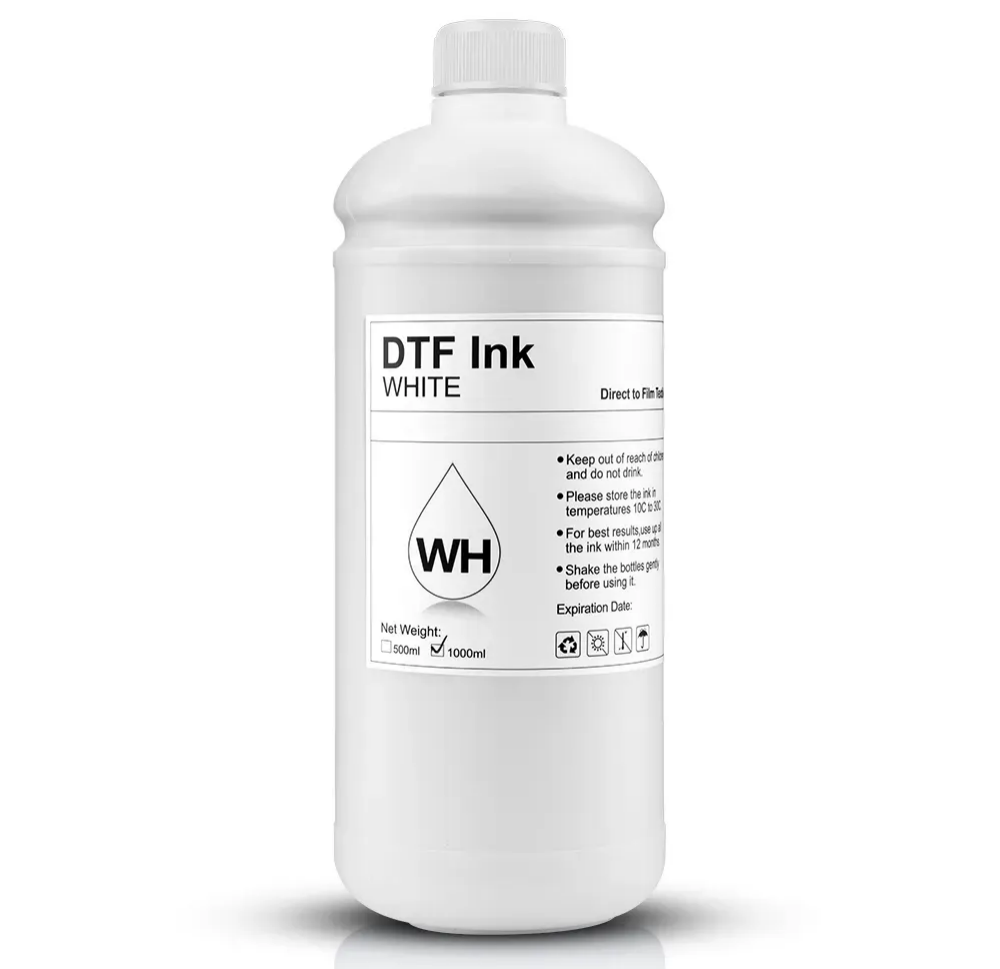
ما تبحث عنه في مورد حبر DTF المهني
عند التحقق من مورد حبر DTF ، تجاوز التكلفة لكل لتر. استفسر عن طرق التنظيف الخاصة بهم وكيف حتى الدفعات الخاصة بهم. مورد قوي مثل تشانغفا الرقمية تتأكد من أن كل زجاجة تمر عبر عدة فلاتر. هذه تزيل قطع أكبر من 1-2 ميكرون. هذه الرعاية تقلل من الانسدادات والتوقفات ، والتي تسبب معظم التأخيرات.
علاوة على ذلك ، يقدم مورد قوي المساعدة في القضايا التقنية. إذا كنت’ في مواجهة مشاكل الغموض، يجب أن تكون قادرة على تقديم ملفات تعريف ICC محددة أو نصائح حول إعدادات الحبر الأبيض DTF مصممة خصيصا لمنتجاتها. هذه العلاقة هي شراكة أكثر من صفقة بسيطة. باستخدام حبر DTF متميز من مصدر يفهم كيمياء الفيلم والمسحوق هو “ غش رمز” للطبعات المثالية.
تأثير الطازجة على أداء الحبر الأبيض
الحبر لديه عمر الرف. مع مرور الوقت ، يمكن أن تبدأ المربطات والناقلات في السائل في الانكسار ، مما يسبب تجمع الصبغة البيضاء بطرق لا يمكن إصلاح أي كمية من الاهتزاز. عند شراء من مورد حبر DTF عالي الحجم ، من المرجح أن تحصل على “ طازج” الدفعات التي haven’ لقد كنت جالسا في مستودع لمدة ستة أشهر.
الحبر الأبيض الطازج DTF لديه خصائص تدفق أفضل وربطات أكثر فعالية مع مسحوق TPU. هذا يؤدي إلى طباعة ’ t فقط أبيض مشرق، ولكن أيضا ناعم للمس ومقاوم للتصدع. في تشانغفا ديجيتال ، يركز التركيز على الحفاظ على مخزون سريع الحركة بحيث يتلقى المستخدمون دائماً الحبر الأكثر نشاطاً واستقراراً كيميائياً.
نصائح الصيانة المتقدمة لمنع الانسداد
السدادات هي عدو الشفافية. حتى فقدان 10٪ في فوهات نشطة على القناة البيضاء الخاصة بك يمكن أن يؤدي إلى “ الرمادي” من منتجك النهائي. الصيانة’ t فقط عن التنظيف عندما تسير الأمور على خطأ؛ إنه حول روتين يومي يحافظ على حركة الحبر والفوهات واضحة.
روتينات الصيانة اليومية والأسبوعية
إذا كنت تريد نتائج متسقة من إعداد الطباعة المباشرة إلى الفيلم ، فلا يمكنك تخطي طقوس نهاية اليوم. ويشمل ذلك مسح محطة التغطية وضمان جلوس رأس الطباعة في بيئة رطبة طوال الليل. إذا كان القبعة قذرة، فإنه won’ t إنشاء ختم مضاد للهواء ، وسيجف الحبر الأبيض DTF الخاص بك في الفوهات.
أسبوعيا ، يجب عليك أداء “ فحص فوهة” و “ تنظيف الرأس” دورة، حتى لو كانت الآلة تبدو جيدة. وهذا يفرض حبر DTF طازج ممتاز من خلال النظام ويمنع أي رواسب طفيفة من التراكم. فكر في ذلك مثل تغيير الزيت في سيارتك - يشعر الأمر وكأنه مهمة، لكنه يمنع المحرك من الانفجار في وقت لاحق.
إصلاح انحرافات الفوهة المستمرة
في بعض الأحيان ، على الرغم من استخدام الحبر الأبيض الجيد لممارسات الطباعة DTF ، فإن سدًا لا يزال موجودًا. لا تتعجل في العديد من عمليات التنظيف ، لأن ذلك يضيع الحبر المكلف. بدلاً من ذلك ، جرب “ رطب رطب. ” ضع قماش نظيف، رطب بمنظف خاص، تحت الرأس لمدة ساعة تقريبا. في كثير من الأحيان ، هذا يحطم TiO المجفف2 ويعيد الشفافية الكاملة.
إذا حدث هذا يوميا، فكر في اختيار الحبر الخاص بك. إذا استقرت الصبغة بسرعة كبيرة ، فهي تشير إلى خلط ضعيف أثناء الإنتاج. الانتقال إلى حبر أبيض DTF متفوق يمكن إصلاح ما يبدو مثل أخطاء الآلة ولكن هي حقا مشاكل مع الصيغة.
استنتاج
تحقيق طبقة بيضاء قوية ومشرقة هو الهدف الرئيسي في الطباعة المباشرة إلى الفيلم. رؤية النتائج الرمادية المتلاشية يمكن أن تحبط أي شخص. ومع ذلك ، غالباً ما يكمن الحل في المواد الأفضل والتعديلات الدقيقة. عن طريق اختيار حبر DTF متميز ، وضبط إعدادات حبر DTF الأبيض ، والتعاون مع مورد حبر DTF موثوق به مثل تشانغفا الرقميةيمكنك إزالة عدم اليقين. ضع في اعتبارك أن الطباعات الممتازة تبدأ بقاعدة قوية. عندما تلمع اللون الأبيض ، فإن الألوان سوف تلمع أيضًا. سيعود العملاء لهذه الجودة المهنية التي اشتريتها المتجر. إذا كنت تريد تحسين الطباعة الخاصة بك، الاتصال اليوم على 396838165@qq.com للمواد والإرشادات التي تحتاجها.


