


HOT SALE
APPLICATION
Phone:+86-15215969856 E-Mail: 396838165@qq.com

A half-full ink tank creates an awkward decision when a textile print shop changes suppliers. Throwing the remaining ink away feels wasteful. Pouring a new brand directly on top looks quicker and cheaper.
Sometimes the printer will keep running. That does not prove the two inks are a good match.
“Sublimation ink” describes a printing method, not one universal liquid formula. Two CMYK inks can differ in dye concentration, viscosity, surface tension, additives, filtration behavior, and transferred color. Those differences may be small in the bottle but much more noticeable once the ink moves through tanks, hoses, dampers, filters, and printheads for several hours.
For a production shop, the real question when trying to mix sublimation ink brands is not whether two liquids can share the same tank. It is whether the resulting mixture will remain predictable through a production run and again on the next order.
Can Different Sublimation Ink Brands Really Be Compatible?
Different sublimation ink brands can look almost identical. The printer sees much more than color.
Why Does the Ink Formulation Matter Inside a Printer?
Inkjet printing relies on controlled liquid behavior. Ink needs to move through the supply path, reach the printhead steadily, form consistent droplets, and recover normally after cleaning.
A formulation change can affect:
- flow through filters and dampers;
- nozzle recovery;
- droplet formation;
- density on the transfer paper;
- drying behavior;
- transferred color.
That is why sublimation ink compatibility needs to be checked against the actual printing system.
Changfa Digital supplies CMYK sublimation ink for several production configurations. Its product information includes standard sublimation ink for Epson I3200 systems using 2–4 nozzles, high-density ink for Epson I3200 configurations with more than 8 nozzles, and high-density ink for Atexco Kyocera nozzles.
The important point is not that one ink is automatically better. Different printing systems can ask for different ink behavior.
Print shops comparing available formulations can start with the Changfa Digital sublimation ink range rather than treating every bottle marked “sublimation” as interchangeable.
Why Can the First Few Meters Look Fine?
Old ink does not disappear the moment new ink enters the tank.
It remains in the tank, ink lines, dampers, filters, and printhead. The mixture reaching the nozzles changes gradually as production continues.
A short nozzle test may look clean. The first two meters may also print normally. Twenty or fifty meters later, the ratio inside the system may be different.
This is why sublimation ink compatibility testing should run long enough for the new material to circulate. A quick demonstration can miss problems that show up only after the printer reaches a steady operating condition.
What Can Happen When You Mix Sublimation Ink Brands?
There is no single failure that appears every time. That is one reason uncontrolled mixing can be difficult to diagnose.
Can Ink Mixing Affect Long-Run Printer Stability?
Possible warning signs include:
- missing nozzles returning after cleaning;
- more frequent cleaning cycles;
- unstable solid-color areas;
- unusual residue in the ink path;
- density changing during a long roll.
Changfa Digital sublimation ink specifications include fluency testing at 360 dpi over 20 meters without broken lines or partial holes. Testing is also listed under conditions around 35°C and at lower temperatures around 6–8°C.
Those figures illustrate why known behavior matters. Once unrelated formulations are mixed, operators no longer have the same controlled reference.
Can the Color Move Even If No Nozzles Block?
Yes. Mechanical stability and color stability are different.
A mixed ink can pass through the printer while changing the transferred result. Black density may shift. Neutral gray may become slightly warmer or cooler. A repeat customer color may no longer sit next to an earlier batch cleanly.
This matters because an ICC profile is created around a particular production combination. Change the ink and the previous color relationship may move even though the artwork and RIP settings stay the same.
Before production, transfer a test containing neutral grays, dark solids, gradients, CMYK areas, and critical customer colors.
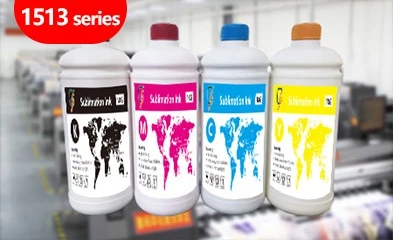
Changfa Digital’s 1513 Series sublimation ink gives buyers a specific ink reference to keep consistent through a job rather than repeatedly changing the formulation halfway through production.
How Should a Print Shop Switch Sublimation Ink Brands?
There are good reasons to switch sublimation ink brands. Supply interruptions, a new printer configuration, output requirements, or a different purchasing plan can all trigger a change.
A supplier change is manageable. An undocumented mixture is harder to control.
What Should Be Tested Before the Main Line Changes?
Record the current setup first:
- printer;
- printhead configuration;
- old ink;
- replacement ink;
- transfer paper;
- fabric;
- RIP/profile;
- transfer conditions.
Run a nozzle check before the change. After the new ink has circulated, check again and compare the transferred sample with an existing production reference.
Only one major variable should be changed at a time.
Changing ink, paper, profile, and heat-transfer settings together may recover the result, but nobody will know which change caused it.
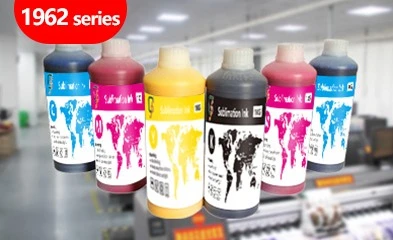
A factory evaluating another production formula can also compare the 1963 Series CMYK ink against its actual printer and workflow before moving it into a live order.
When Should You Flush Sublimation Ink System Components?
When the two formulations have not been confirmed as compatible, it may be safer to flush sublimation ink system components during a complete changeover.
That does not mean running cleaning fluid endlessly.
Before attempting to flush sublimation ink system parts, determine:
- whether the tank can be drained;
- how much old ink remains in the lines;
- what cleaning fluid is suitable;
- whether dampers or filters need attention;
- how the printhead should be protected.
After the change, allow enough new ink to pass through the system to remove residual cleaning liquid. Then run a nozzle check and transferred color test.
The aim is to create a known starting point, not simply to make the system “extra clean.”
How Can Ink Changes Be Kept From Becoming Repeat-Order Problems?
Records make future troubleshooting much easier.
Keep the ink product or code, batch, date opened, printer, profile, paper, and transfer conditions with the job information.
Changfa Digital’s available sublimation ink specifications use CY, MG, YL, and BK color configurations. For textile materials after transfer, available information lists Sunproof Level 6 and Washproof Level 4–5.
These performance references are most useful when the rest of the production setup is controlled.
A factory that needs another ink option for a different equipment configuration can review the 1983 Series CMYK sublimation ink and confirm the exact machine match before making a production switch.
Conclusion
It is possible to mix sublimation ink brands without seeing an immediate printer failure. That does not prove the mixture is stable enough for production.
Flow, nozzle recovery, density, color profiles, and repeat-order matching can all change after two formulations enter the same system.
When different sublimation ink brands are involved, test sublimation ink compatibility under real running conditions. If the plan is to switch sublimation ink brands completely, document the existing setup and carry out a controlled change rather than repeatedly topping up one formulation with another.
If compatibility is uncertain, following a defined procedure to flush sublimation ink system components can give the new ink a much cleaner production baseline.
FAQs
Q1: Can I mix sublimation ink brands if both inks use CMYK colors?
A1: Not automatically. CMYK describes the color set, not the complete formulation. Two inks may differ in viscosity, dye concentration, additives, and color response, so they still need compatibility testing.
Q2: Do I always need to flush sublimation ink system parts when changing brands?
A2: No. The correct changeover depends on the printer and the two ink formulations. When their compatibility is unknown, a controlled flush may reduce the amount of old ink remaining in the system.
Q3: What is the safest way to switch sublimation ink brands?
A3: Record the current production setup, test the replacement ink with the same printer, paper, fabric, profile, and transfer conditions, then compare nozzle stability and transferred color before using it for customer production.


