


Penjualan Panas
Aplikasi
Phone:+86-15215969856 E-Mail: 396838165@qq.com
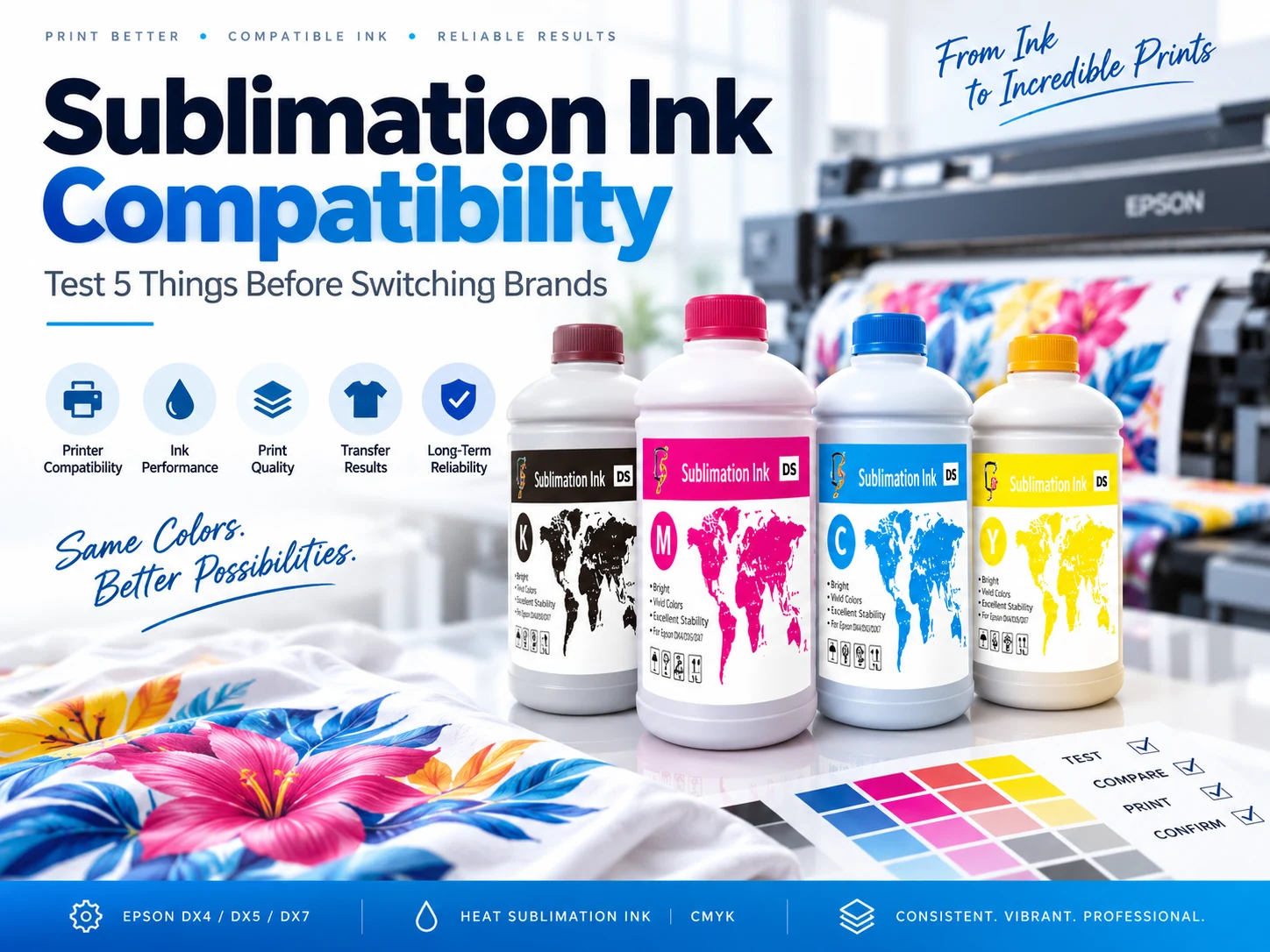
Mengganti merek tinta sublimasi merupakan perubahan produksi, bukan sekadar penggantian botol. Tinta baru mungkin tampak baik pada sampel kecil, tetapi tetap dapat menyebabkan tetesan tinta pada nozzle, garis-garis, perubahan pengeringan, pergeseran warna, atau hasil cetak yang tidak stabil setelah printer beroperasi selama berjam-jam. Keputusan harus didasarkan pada kombinasi lengkap printer, printhead, tinta, kertas, kain, dan transfer. Changfa Digital's rangkaian tinta sublimasi Termasuk serangkaian produk yang sesuai dengan berbagai keluarga printer, sementara pengalamannya di bidang produksi kertas sublimasi dan layanan pencetakan digital memberikan dasar praktis bagi pembeli untuk memeriksa seluruh alur kerja sebelum perubahan pemasok mencapai pesanan massal.
Mengapa Tes Singkat Bisa Terlihat Normal Setelah Mengganti Merek Tinta Sublimasi?
Sampel pendek dapat menyembunyikan efek jalur tinta dan reservoir.
Pencetakan yang singkat mungkin sebagian besar menggunakan tinta yang sudah ada di dekat kepala cetak, peredam, dan saluran suplai. Tinta pengganti belum sepenuhnya melewati seluruh sistem secara representatif. Itulah mengapa mengganti merek tinta sublimasi membutuhkan lebih dari sekadar pemeriksaan nozzle yang bersih di awal penggantian.
Warna pada kertas yang belum ditransfer tidak sama dengan warna pada kain poliester.
Kertas menunjukkan pewarna yang dicetak sebelum panas dan tekanan memindahkannya ke kain. Tampilan akhir bergantung pada seberapa banyak pewarna yang berpindah, bagaimana poliester menerimanya, dan bagaimana substrat memantulkan cahaya. Oleh karena itu, sampel kertas dapat terlihat hampir sama, sementara hasil transfernya tetap terlihat berbeda.
Pengujian Nozzle Jangka Pendek Dapat Menutupi Ketidakstabilan Jangka Panjang
Pencetakan sublimasi kontinu memperlihatkan perbedaan kecil dalam viskositas, filtrasi, penghilangan gas, dan pengiriman tinta. Nozel yang hilang mungkin baru muncul setelah kartrid, tabung, atau peredam telah digunakan secara terus-menerus. Awal, tengah, dan akhir dari proses pencetakan yang panjang harus diperiksa secara menyeluruh.
Hasil Pemisahan Warna, Aliran, Pengeringan, dan Perawatan
Satu skor saja tidak dapat menjelaskan setiap perubahan. Catat perbedaan warna, kondisi nosel, aliran tinta, perilaku pengeringan, frekuensi pembersihan, dan alasan pencetakan ulang secara terpisah. Hal ini menjadikan kompatibilitas tinta sublimasi sebagai pertanyaan produksi yang terukur, bukan sekadar penilaian visual dari satu sampel.
Bisakah tinta sublimasi lama dan baru dicampur langsung?
Mengapa Label CMYK yang Mirip Tidak Membuktikan Kompatibilitas Kimia atau Fisik
Dua tinta dapat memiliki label CMYK yang sama namun tetap berbeda dalam kimia pembawa, viskositas, perilaku filtrasi, dan respons pengeringan. Nama warna yang serupa tidak menunjukkan bagaimana cairan akan berinteraksi atau bagaimana campuran tersebut akan bekerja setelah berminggu-minggu dalam jalur pasokan.
Sisa tinta di dalam tangki, tabung, peredam, dan kepala cetak dapat mengubah hasil pengujian.
Sisa material tetap berada di dalam tangki, tabung, peredam, filter, dan kepala cetak setelah tinta lama dikuras. Hal ini dapat mengubah aliran atau warna selama pengujian pertama. Prosedur penggantian merek tinta sublimasi yang terkontrol harus menentukan apa yang dikuras, diganti, atau dipertahankan sebelum tinta baru dimasukkan.
Lakukan pengecekan tanpa pencampuran dan kebersihan garis sebelum mengisi tinta baru.
Periksa jalur suplai sebelum mengisi. Konfirmasikan apakah produsen printer atau pemasok tinta mengizinkan pencampuran langsung, atau apakah saluran harus dibersihkan terlebih dahulu. Catat kondisi filter, damper, dan nozzle agar penggantian selanjutnya dapat dipisahkan dari hasil pembersihan awal. Oleh karena itu, keputusan untuk tidak mencampur tinta merupakan bagian dari kompatibilitas tinta sublimasi, bukan tugas pembersihan terpisah.
Catat Data Dasar Sebelum Perubahan Tinta
Catat nama tinta, batch, pengaturan RIP, dan pola nozzle saat ini sebelum ada yang diubah. Cetak file uji yang sama di ruangan dan kondisi printer yang sama. Tanpa data dasar, klaim selanjutnya tentang aliran atau warna yang lebih baik tidak memiliki perbandingan yang dapat diandalkan.
Periksa Jalur Pasokan Tinta yang Sebenarnya
Panduan dapat menjelaskan tinta, tetapi jalur peralatan menentukan bagaimana tinta tersebut berperilaku. Panjang saluran tinta, kondisi filter, penghilangan gas, desain kartrid, dan model kepala cetak semuanya penting. Tinjau konfigurasi lengkap daripada hanya bertanya apakah dua tinta dapat dicampur.
Bagaimana Cara Memeriksa Kompatibilitas Tinta dan Kepala Cetak?
Konfirmasikan Printer, Kepala Cetak, dan Jalur Tinta
Mulailah dengan memeriksa printer dan kepala cetak yang tepat, tata letak saluran, dan jalur pasokan tinta. Label tinta yang kompatibel saja tidak cukup jika saluran tersebut memiliki filter yang salah, peredam yang tidak stabil, atau kartrid yang tidak sesuai. Detail-detail ini menentukan apa yang dapat diuji.
Seri 1513: Epson DX4/DX5/DX7 dan CF-2000/3000
Halaman produk resmi Seri 1513 mencantumkan printhead Epson DX4, DX5, dan DX7 serta tinta CMYK dalam botol 1 L. Produk ini diposisikan di sekitar keluarga printer CF-2000 dan CF-3000. Pembeli harus memverifikasi konfigurasi mesin yang tepat dan tidak menganggap nama seri sebagai persetujuan kompatibilitas universal.
Seri 1962: Epson DX4/DX5/DX7 dan CF-6000/8000
Halaman produk Seri 1962 juga mencantumkan printhead Epson DX4, DX5, dan DX7, warna CMYK, dan kemasan 1 L. Produk ini terkait dengan keluarga printer CF-6000 dan CF-8000. Konfirmasikan saluran printhead dan pengaturan produksi sebelum menggunakan profil atau asumsi muatan tinta yang sama dari mesin lain.
Seri 1983: Epson DX4/DX5/DX7 dan CF-15000
Seri 1983 mengikuti keluarga printhead umum yang sama tetapi terdaftar untuk keluarga printer Model-xplus-8 dan CF-15000. Posisi harganya tidak menghilangkan kebutuhan akan pengujian nozzle, warna, dan jangka panjang. Setiap mesin masih harus menunjukkan kinerja yang stabil dengan tinta yang dipilih.
Bagaimana Seharusnya Pengujian Kepala Cetak dan Nozel Dilakukan?
Lakukan pengecekan nozzle terlebih dahulu, kemudian cetak blok CMYK solid, gradien, garis halus, dan pengulangan cetakan. Setiap target menunjukkan mode kegagalan yang berbeda: nozzle hilang, banding, perubahan tonal, defleksi, atau pergeseran selama proses pencetakan. Bandingkan halaman dengan baseline yang tersimpan, alih-alih menilainya secara terpisah. Inilah inti praktis dari kompatibilitas tinta sublimasi dan printhead.
Mengapa Tinta Baru Membutuhkan Kalibrasi Warna ICC Baru?
Profil ICC menjelaskan kombinasi tinta, kertas, kain, dan transfer tertentu.
Profil warna menggambarkan jalur warna lengkap, bukan hanya tintanya saja. Mengganti tinta akan mengubah jumlah dan perilaku zat warna yang mencapai kertas dan kain. Profil lama mungkin masih menghasilkan warna yang dapat diterima di beberapa area, tetapi profil tersebut tidak lagi menggambarkan kombinasi warna baru secara akurat.
Jaga agar karya seni, RIP, kertas, dan kain tetap konstan.
Ubahlah satu variabel utama dalam satu waktu. Gunakan karya seni, RIP, kertas, kain, kondisi transfer, dan cahaya pengamatan yang sama untuk perbandingan pertama. Hal ini membuat efek tinta baru terlihat, alih-alih menyembunyikannya di balik beberapa perubahan simultan.
Bandingkan grafik yang dicetak setelah proses transfer panas, bukan hanya sebelum transfer.
Gambar di atas kertas hanyalah tahap perantara. Baca kembali bagan warna setelah dipindahkan ke kain produksi. Ukur atau bandingkan sampel akhir karena panas, tekanan, waktu tunggu, dan pendinginan dapat mengubah warna akhir, terutama di area gelap dan jenuh.
Periksa Warna Abu-abu, Nada Gelap, dan CMYK Jenuh
Target-target ini mengungkapkan masalah yang mungkin terlewatkan oleh satu blok warna cerah. Abu-abu netral memperlihatkan bias warna, area gelap menunjukkan kompresi atau kelebihan tinta, gradien menunjukkan perbedaan ketinggian warna, dan warna jenuh menunjukkan keseimbangan saluran warna. Profil warna ICC baru apa pun untuk sublimasi harus dinilai di seluruh zona ini.
Kunci Profil Baru dan Contoh Persetujuan
Beri nama dan simpan profil baru beserta tinta, kertas, kain, printer, dan tanggal pengujiannya. Simpan sampel persetujuan dan pengaturannya secara bersamaan. Profil yang terkunci mencegah operator mencampur kondisi lama dan baru ketika pesanan ulang kembali ke produksi.
Bagaimana Kertas, Kain, dan Kondisi Transfer Mempengaruhi Hasilnya?
Sesuaikan Lapisan Kertas dan Beban Tinta dengan Pengeringan
Kertas tersebut membawa gambar dan mengontrol bagaimana tinta mengering dan terlepas. Lapisan, GSM, beban tinta, dan pengeringan memengaruhi pembentukan titik, migrasi, dan hasil transfer. Kertas yang cocok dengan tinta lama mungkin memerlukan pengaturan atau tingkatan yang berbeda dengan tinta pengganti.
Periksa Bagaimana Konstruksi Kain Mengubah Warna
Kandungan poliester, struktur benang, berat, dan hasil akhir permukaan memengaruhi seberapa banyak pewarna yang diserap dan bagaimana warna tersebut tampak. Dua kain dapat menerima transfer yang sama dan tetap terlihat berbeda. Persetujuan harus menggunakan kain produksi aktual atau yang setara yang didokumentasikan.
Jaga agar kondisi transfer dan pendinginan tetap konsisten.
Panas, tekanan, kecepatan, penyelarasan, dan pendinginan adalah bagian dari hasil warna. Pertahankan semua faktor tersebut tetap sama untuk perbandingan tinta pertama, kemudian sesuaikan hanya satu faktor saja ketika pengujian mengidentifikasi masalah tertentu. Mengganti mesin cetak saat mengganti tinta akan menghasilkan hasil yang tidak jelas.
Periksa Lebar Gulungan dan Konsistensi Kertas
Pemilihan tinta tidak terlepas dari gulungan kertas. Kemampuan kertas dasar, pelapisan, dan pemotongan Changfa Digital mendukung diskusi tentang lebar gulungan, pasokan pelapis, dan penanganan kertas bersamaan dengan pilihan tinta. Tujuannya adalah untuk mencocokkan seluruh jalur tinta-kertas-kain sebelum pesanan massal disetujui.
Jangan Setujui dari Pengujian Hanya Printer
Pengecekan nozzle pada kertas polos tidak dapat membuktikan bahwa pesanan akhir akan sesuai. Jika pesanan bergantung pada jenis kertas, kain, target warna, dan kondisi mesin cetak tertentu, pengujian harus mencakup hal-hal tersebut. Kombinasi yang disetujui harus mencerminkan apa yang sebenarnya akan terjadi dalam produksi.
Apa Lima Tes yang Harus Dilakukan Sebelum Produksi Berkelanjutan?
Tes 1: Konfirmasi Kebersihan Saluran dan Tidak Ada Pencampuran
Konfirmasikan metode pergantian yang diizinkan, hilangkan residu yang tidak kompatibel jika diperlukan, dan dokumentasikan filter, peredam, dan langkah-langkah pembersihan. Uji pertama dimulai dengan kondisi saluran yang diketahui, bukan asumsi bahwa tinta lama telah hilang.
Tes 2: Periksa Stabilitas Kepala Cetak dan Nozzle
Lakukan uji printhead terstruktur dan pastikan file konsisten dengan baseline. Periksa pola nozzle sebelum, selama, dan setelah pengujian. Setiap penurunan, defleksi, atau perbedaan pemulihan harus dicatat bersama dengan pengaturan tinta dan printer.
Tes 3: Periksa Ulang Warna ICC Setelah Transfer
Buat profil baru dari jalur tinta, kertas, dan kain yang sebenarnya, lalu bandingkan hasil transfer dengan target yang telah disetujui. Periksa nada terang, sedang, dan gelap, warna netral, dan warna jenuh. Profil warna ICC baru untuk sublimasi hanya berguna jika mewakili kondisi produksi yang tepat.
Tes 4: Mencocokkan Tinta, Kertas, Kain, dan Transfer
Gunakan jenis kertas, lebar, kain, dan mesin transfer yang sesuai. Sesuaikan jumlah tinta dengan perilaku pengeringan dan pelepasan, lalu pastikan hasil akhir, ketajaman, dan warna memenuhi persyaratan pesanan. Di sinilah kompatibilitas tinta sublimasi dan kepala cetak terhubung dengan hasil produksi secara keseluruhan.
Tes 5: Jalankan Pemeriksaan Produksi yang Diperluas
Lakukan pencetakan cukup lama untuk mengungkap pergeseran bertahap, kekurangan tinta, perubahan pengeringan, atau pemulihan nosel yang terputus-putus. Bandingkan bagian awal, tengah, dan akhir dengan target uji yang sama. Pencetakan sublimasi kontinu dapat mengungkap masalah yang tidak muncul selama sampel persetujuan singkat.
Cacat Rekaman dan Penyebab Pencetakan Ulang
Catat setiap kerusakan beserta waktu, posisi, dan kondisi operasinya. Perhatikan seberapa sering jalur produksi perlu dibersihkan dan mengapa pencetakan ulang terjadi. Keputusan harus didasarkan pada bukti produksi, bukan hanya pada apakah hasil cetakan pertama terlihat dapat diterima.
Kirimkan Detail Lengkap Perubahan Tinta
Berikan detail peralatan dan material yang menentukan perubahan tersebut. Sertakan kerusakan saat ini, target jangka waktu produksi, dan persyaratan warna atau output. Tinjauan yang terfokus kemudian dapat mencocokkan keluarga printer dengan seri tinta dan kondisi pengujian yang relevan.
Kesimpulan
Penggantian tinta sublimasi harus disetujui berdasarkan bukti produksi, bukan hanya sampel singkat yang hanya terlihat layak di atas kertas. Lima pemeriksaan tersebut mencakup kebersihan jalur cetak, perilaku kepala cetak dan nosel, kalibrasi warna pasca-transfer, kesesuaian tinta-kertas-kain, dan pencetakan kontinu yang diperpanjang. Changfa Digital dapat mendiskusikan rangkaian terkait seputar keluarga printer yang sebenarnya: Seri 1513 untuk CF-2000 dan CF-3000, Seri 1962 untuk CF-6000 dan CF-8000, dan Seri 1983 Untuk Model-xplus-8 dan CF-15000, dengan informasi printhead Epson DX4, DX5, dan DX7 yang tercantum untuk setiap halaman produk. Bagikan informasi printer dan printhead saat ini, tinta lama dan pengganti, detail kertas dan kain, target panjang cetakan, dan kerusakan yang menyebabkan perubahan tersebut sehingga pengujian berikutnya dimulai dengan pertanyaan produksi yang terdefinisi.
Pertanyaan FAQ
Q1: Bisakah merek tinta sublimasi lama dan baru dicampur dalam printer yang sama?
A1: Jangan berasumsi bahwa dua tinta sublimasi CMYK dapat dicampur dengan aman. Sisa tinta di jalur suplai dapat mengubah aliran dan perilaku warna, jadi printer, jalur tinta, dan petunjuk pemasok harus diperiksa sebelum tinta baru dimasukkan.
Q2: Apakah saya perlu profil ICC baru setelah mengganti merek tinta sublimasi?
A2: Dalam sebagian besar perubahan produksi, kombinasi tinta, kertas, kain, dan transfer telah berubah cukup signifikan sehingga memerlukan perbandingan baru dan seringkali profil baru. Setujui hasilnya setelah transfer panas pada kain sebenarnya, daripada mengandalkan profil lama atau gambar kertas yang belum ditransfer.
Q3: Berapa lama tinta sublimasi pengganti harus diuji sebelum produksi massal?
A3: Tidak ada durasi pengujian universal. Pengujian harus mewakili pesanan yang direncanakan dan berlangsung cukup lama untuk membandingkan awal, tengah, dan akhir, sambil mencatat stabilitas nosel, pengeringan, konsistensi warna, frekuensi pembersihan, dan penyebab pencetakan ulang.


