


HOT SALE
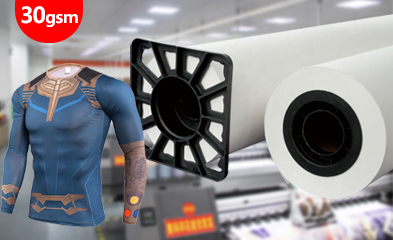
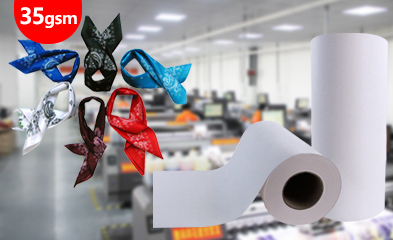
APPLICATION
Phone:+86-15215969856 E-Mail: 396838165@qq.com
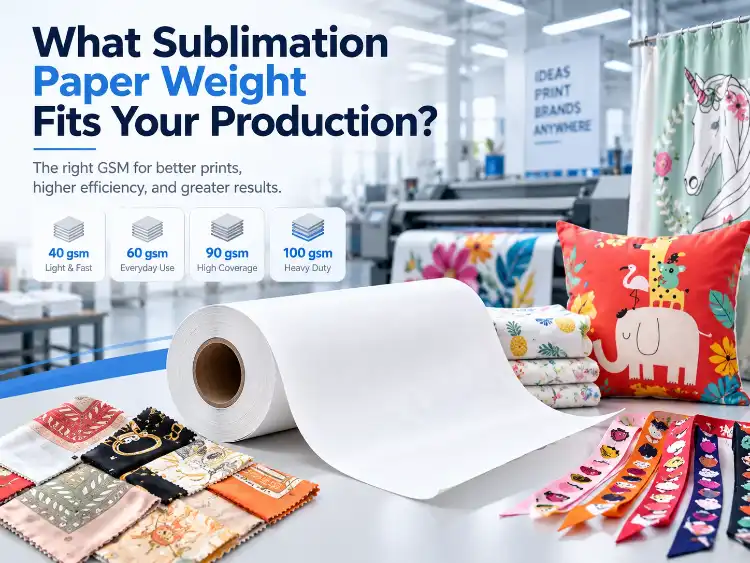
A roll of sublimation paper can feel right in the hand and still cause trouble once the printer starts. More grams per square meter usually mean a thicker, stiffer sheet, but that change can help one order and hurt another when ink load, drying, fabric, and roll handling move in different directions.
The useful question is narrower: which grade keeps image detail, drying, feeding, and color release stable across the actual order? GSM is only one part of that answer. The sections below connect sublimation paper weight to coating, ink coverage, roll size, polyester fabric, and repeat production.
What Does Sublimation Paper Weight Actually Measure?
GSM Is a Paper Measure, Not an Ink Load Setting
GSM records the mass of one square meter of paper. It says nothing about how quickly the printer should lay down ink or how much dye will release. Fiber, coating, surface finish, and moisture can make two papers of equal weight behave differently. Production should compare the difference in sublimation paper weight alongside the transferred result, not as a standalone quality score.
Coating Determines How the Paper Receives and Releases Ink
How fast the sheet accepts ink, how the image dries, and how much dye releases under heat all depend on the coating. An uneven coating produces mottling, pinholes, and patchy transfer even when the paper weight looks correct. Buyers comparing sublimation papers need to inspect the coated surface as well as the GSM. Weight becomes a useful production signal only when it is read with coating and print settings.
A Difference in Sublimation Paper Weight Changes More Than Thickness
Paper weight influences stiffness, dimensional stability, curl, and how much ink the sheet can carry before it swells or cockles. Heavier paper is useful for some images and unnecessary for others. Solid coverage, fine lines, lightweight fabric, long roll runs, and small sheet-fed jobs all stress the material differently.
How Do Ink Load and Drying Change with Paper Weight?
Light Paper Can Support Fast, Flexible Production
Lightweight sublimation papers dry quickly and reduce the weight operators handle. They fit moderate coverage, short runs, and fabrics that need only a thin ink film. Problems begin when a high coverage image overwhelms the coating or when wet ink produces cockling, tracking errors, or weak color.
Medium-Weight Paper Balances Coverage and Control
Medium grades often give mixed production the best balance. They hold enough ink for detailed graphics while remaining practical to feed and dry. 60 gsm paper or 90 gsm paper can suit apparel panels and soft signage when the printer profile and transfer conditions are stable. Test the real image and fabric, because a small change in ink coverage can make one medium grade behave differently from another.
Heavy Paper Can Carry More Ink, but It Also Costs More to Handle
Heavy grades resist swelling and maintain a more stable surface, which helps demanding coverage. That advantage comes with more careful drying, winding, and storage. A 100 gsm grade can serve high-coverage material, but a substantial feel is not enough reason to choose it. Check transfer rate, runnability, and roll width against the order.
How Does Sublimation Paper Weight Affect Roll Handling?
img.50gsm sublimation paper roll.webp
Roll Stiffness and Feeding Change with GSM and Core Size
Tension, tracking, and entry into the printer all change with roll stiffness. A light roll conforms easily but may wrinkle or shift under tension. A heavier roll feeds steadily when the machine controls tension and supports the core correctly. Papers such as 40gsm transfer paper and 100gsm transfer paper are not interchangeable without checking the printer, roll width, and feeding system.
Curl and Cockling Can Appear From Moisture and Heat
Moisture differences across a sheet or roll can pull paper out of shape. Heavy ink loads add risk because the coated surface absorbs liquid and expands at a different rate from the base paper. Low-GSM papers may curl quickly in dry rooms, while high-GSM papers can retain more moisture after opening. Storage, humidity, and press conditions therefore belong in the same decision as the sublimation paper weight.
Transfer Release and Ghosting Depend on Coating and Pressure
Transfer release is controlled by the coating, temperature, pressure, dwell time, and fabric surface. A heavier paper does not fix a weak coating or incorrect transfer setting. If the sheet moves during pressing, the result can show ghosting even when the paper is perfectly flat before transfer. Test release on the final polyester fabric rather than judging only the printed sheet.
How Should Sublimation Paper Sizes Be Matched to Production?
Sheet and Roll Formats Solve Different Problems
Sheet-fed production gives small businesses a simple way to run individual garments, samples, or mixed designs. Rolls support longer runs, wider panels, and continuous production, but they require the correct width, core, and tension. The best sublimation paper sizes depend on the artwork layout, printer feed path, and whether the order repeats the same design. Buyers should compare sublimation paper sizes and weights together instead of treating width as a separate purchasing detail.
Width Must Cover the Image Without Excess Waste
Too narrow a roll forces panel rotation or edge loss. Too wide a roll creates unused margins and unnecessary paper consumption. Match the paper width to the effective print area and cutting allowance, then check that the printer can hold the roll steadily at production speed. The right width is part of performance, not only a purchasing preference.
The Order Mix Determines the Best Paper Portfolio
A print shop may need more than one paper grade. Detailed apparel work, solid backgrounds, lightweight fabrics, and long jumbo-roll jobs can justify different coated papers. Building a small approved portfolio is often more practical than forcing every order through one grade. The goal is to reduce changeovers while keeping the correct ink load, drying, and transfer behavior.
What Paper Type for Sublimation Paper? Start with the Coating
Check the Printable Side Before Changing Settings
The printable side must receive the sublimation ink. When paper is loaded upside down, ink may sit on the wrong surface and transfer poorly. Before adjusting paper weight, verify the coating direction, printer profile, and mirrored artwork. A correct paper cannot compensate for an incorrect print setup. Start with the practical question: What paper type for sublimation paper?
Match Drying and Tack Behavior to the Workflow
Fast-dry papers help when printed rolls or sheets must move quickly to transfer. Tacky papers can hold the fabric during pressing, while non-tacky papers need separate alignment control. What paper type for sublimation paper? The answer depends on the image, fabric, press, and handling method. Drying speed and tack behavior can matter as much as GSM.
Use the Product Data to Narrow the Choice
The sublimation paper category presents multiple grades, roll widths, and applications. Product pages give the stated transfer rate, transfer effect, maximum ink volume, drying speed, runnability, and transfer conditions for each grade. Compare those values before asking a supplier to recommend a paper, and keep the grade tied to the specific production condition. This is more reliable than treating every sublimation paper as the same material with a different weight.
What Production Test Should Confirm the Paper Weight?
Step 1: Print the Real Image at Production Ink Load
Use the actual artwork, color profile, printer, and ink load. A simple test pattern may hide the drying and cockling problems created by solid coverage. Print enough paper to observe the image from the first meter to the end of the run.
Step 2: Check Drying Before the Paper Reaches the Take-Up
Touch and handling tests should reflect the real machine speed. If the printed surface marks or blocks, reduce the ink load or select a paper that can support the coverage. Do not solve a drying problem by increasing heat without checking dimensional stability.
Step 3: Measure Curl and Tracking Through the Printer Path
Watch the paper at the unwind, platen, and rewind. Measure whether the edges remain aligned and whether the sheet or roll develops waves. The sublimation paper weight that feeds cleanly on a proofing printer may behave differently on a wide production machine.
Step 4: Transfer to the Final Polyester Fabric
Use the production fabric, heat, pressure, dwell time, and cooling method. Compare color, sharpness, hand, and ghosting after transfer. The same paper weight can produce different results on a thin jersey, a dense woven polyester, or a stretch fabric.
Step 5: Record the Approved Paper, Width, and Settings
Record the exact grade, roll width, core, coating side, printer profile, ink load, transfer settings, and output result. This record makes a reorder repeatable and shows whether a future paper change affects the approved result.
Conclusion
Sublimation paper weight should be selected by production behavior, not by a single GSM number. Match the paper to ink coverage, drying, dimensional stability, roll handling, transfer release, width, and the final polyester fabric. Test the exact paper, ink, printer, fabric, and heat-transfer conditions before a bulk order.
For a focused recommendation, share the printer model, printhead, ink, target image, ink coverage, fabric, paper width, print speed, transfer conditions, and the defect you need to prevent. That information lets Changfa Digital compare the relevant paper grade with the production task instead of recommending a generic weight.
FAQs
Q1: Is a heavier sublimation paper always better?
A1: No. Heavier paper can support more ink and provide greater stiffness, but lighter paper may dry faster and cost less to handle. The correct choice depends on ink coverage, drying, printer path, fabric, and transfer conditions.
Q2: What sublimation paper weight should I use for polyester fabric?
A2: Start with the fabric and image coverage, then test medium and heavy grades on the actual printer. Apparel, home textile, and soft signage orders can require different paper weights and roll widths even when they use the same polyester chemistry.
Q3: Does paper weight affect color after transfer?
A3: Yes, indirectly. Weight and coating affect ink reception, drying, release, and dimensional stability, all of which can change visible color after transfer. Approve the paper by the transferred fabric result, not only by the printed paper image.


