


HOT SALE
APPLICATION

Phone:+86-15215969856 E-Mail: 396838165@qq.com

A sublimation printer does not need replacing just because it has been running for several years. If it still produces saleable work, parts remain available, and the machine fits the current order load, keeping it can make financial sense.
The warning sign appears when the factory begins working around the printer.
Production planners leave spare days around important jobs. Operators avoid long unattended runs. Cleaning takes longer. A second printer stays available because the first one may stop.
That is a more useful way to decide when to replace sublimation printer equipment. The machine’s age matters less than downtime, maintenance cost, output stability, and whether the current printer can still carry the workload.
Is the Existing Printer Starting to Cost More Than the Repair Invoice Shows?
Repair parts are easy to see. Lost production is easier to miss.
When Does Sublimation Printer Downtime Become a Business Problem?
Planned maintenance belongs in every textile production schedule. Unplanned sublimation printer downtime is different because it interrupts work that has already been promised.
Look for situations where:
- urgent jobs are regularly moved to another machine;
- operators stay beside the printer because they expect a fault;
- long rolls are split into safer short runs;
- outsourced production is used during busy weeks;
- delivery dates include extra buffer for possible stoppages.
A four-hour repair once a year is one thing. Four hours of lost production every week is another.
The clearest warning sign is when scheduling decisions assume the printer will fail.
What Should Be Included in Sublimation Printer Maintenance Cost?
Sublimation printer maintenance cost should include more than the technician’s invoice.
Add:
- replacement parts;
- operator troubleshooting;
- ink used during cleaning;
- wasted transfer paper;
- rejected output;
- reprints;
- outsourced work;
- waiting for imported parts.
Track these costs over several months.
One expensive repair does not automatically mean replacement is necessary. A worn printhead or pump can still be worth replacing when the frame, feeding system, electronics, drying system, and controls remain dependable.
The decision should separate a repairable component from a machine that is becoming unreliable as a whole.
Is the Printer Still Producing Stable Work at the Required Volume?
Production teams often notice the decline before it becomes obvious in the accounts.
Which Recurring Output Problems Deserve Attention?
Watch for problems that return after reasonable maintenance:
- banding;
- recurring nozzle loss;
- unstable paper feeding;
- alignment movement;
- drying problems;
- color changing during long jobs.
A single fault can usually be repaired.
A fault that keeps returning after cleaning, adjustment, or component replacement deserves a wider review. At that stage, the factory may need to consider whether to upgrade sublimation printer capacity rather than applying another temporary fix.
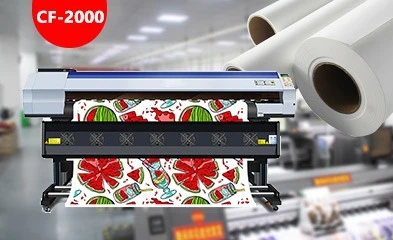
Changfa Digital’s CF-2000 digital printer provides a useful lower-head-count production reference. The CF-2000 uses two Epson I3200-A1 heads, supports CMYK sublimation ink, and works in a 1900 mm effective-width class. Its listed output reaches 105 m²/h at 2 PASS, with lower speeds at higher PASS settings.
Has the Order Mix Outgrown the Machine?
A printer can remain mechanically sound and still become too small for the business.
A shop that started with short sportswear orders may now print long rolls throughout the day. Another may have added larger textile or soft-signage jobs.
Compare the machine’s realistic output with:
- normal daily demand;
- peak-season demand;
- usable print width;
- maintenance time;
- urgent-order capacity.
A printer operating near its practical limit every normal day leaves little room for maintenance or rush work.
That is a stronger reason to upgrade sublimation printer equipment than simply seeing a faster model at an exhibition.
Will a New Printer Actually Remove the Production Bottleneck?
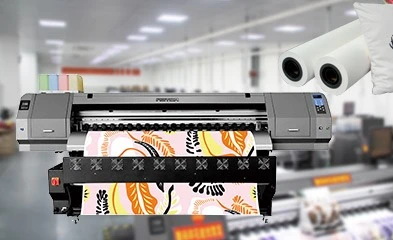
Before replacing the printer, check what happens immediately after printing.
Can the Heat-Transfer Stage Use the Extra Output?
Map the complete route:
printer → drying → take-up → heat transfer → inspection → finishing.
If the current heat-transfer machine is already at full capacity, doubling printer output may only create a queue of printed transfer paper.
This becomes especially important when moving into high-output machines.
The 6198-8 high-speed printer is positioned for higher-speed digital printing with an 1800 mm maximum printing width. A factory considering that level of output also needs enough downstream transfer capacity to use it.
Replacing one bottleneck with another does not improve the complete line.
Are Printhead Availability and Machine Support Becoming a Risk?
A printer can still produce good work but become difficult to keep running because an old component is hard to source.
Ask:
- Are critical printheads and parts still available?
- How long does replacement delivery normally take?
- Can the RIP and control environment still be supported?
- Is one aging part repeatedly stopping production?
This is particularly relevant when assessing when to replace sublimation printer equipment before a major failure happens.
Changfa Digital also offers higher-output configurations such as the CF-8000 textile printer, giving factories another reference point when comparing current workloads with future output requirements.
How Should a Textile Shop Plan the Replacement?
Do not wait until the old printer is completely unusable.
Run a representative customer file on the proposed replacement. Use the intended ink, paper, profile, PASS setting, and heat-transfer process.
Then compare:
- real working output;
- transferred color;
- paper feeding;
- operator workload;
- maintenance routine;
- downstream capacity.
If possible, keep the original printer available during the qualification period.
Operators need time to learn the new machine. Repeat customer colors also need to be checked before old work is moved permanently.
This reduces sublimation printer downtime during the transition itself.
Conclusion
There is no fixed age that tells a textile shop exactly when to replace sublimation printer equipment.
The useful signals are operational: rising sublimation printer maintenance cost, recurring sublimation printer downtime, unstable saleable output, difficult parts supply, or an order volume the current machine can no longer handle comfortably.
Before deciding to upgrade sublimation printer capacity, make sure the printer is actually the limiting stage.
A planned replacement made while the old equipment still runs is much easier to manage than an emergency purchase after the line stops.
FAQs
Q1: When should a factory replace sublimation printer equipment rather than repair it again?
A1: Replacement becomes worth considering when repeated repairs, downtime, quality recovery, missing capacity, or difficult spare-parts sourcing are affecting normal customer orders.
Q2: How should sublimation printer downtime be calculated?
A2: Include repair hours, cleaning and recovery, time waiting for parts, reprints, outsourced production, and lost working hours caused by operators not trusting the machine to finish scheduled runs.
Q3: Is increasing sublimation printer maintenance cost enough reason to buy a new machine?
A3: Not by itself. Compare the full repair cost and lost output with the condition of the rest of the machine and the practical production benefit that replacement would provide.


