



Phone:+86-15215969856 E-Mail: 396838165@qq.com
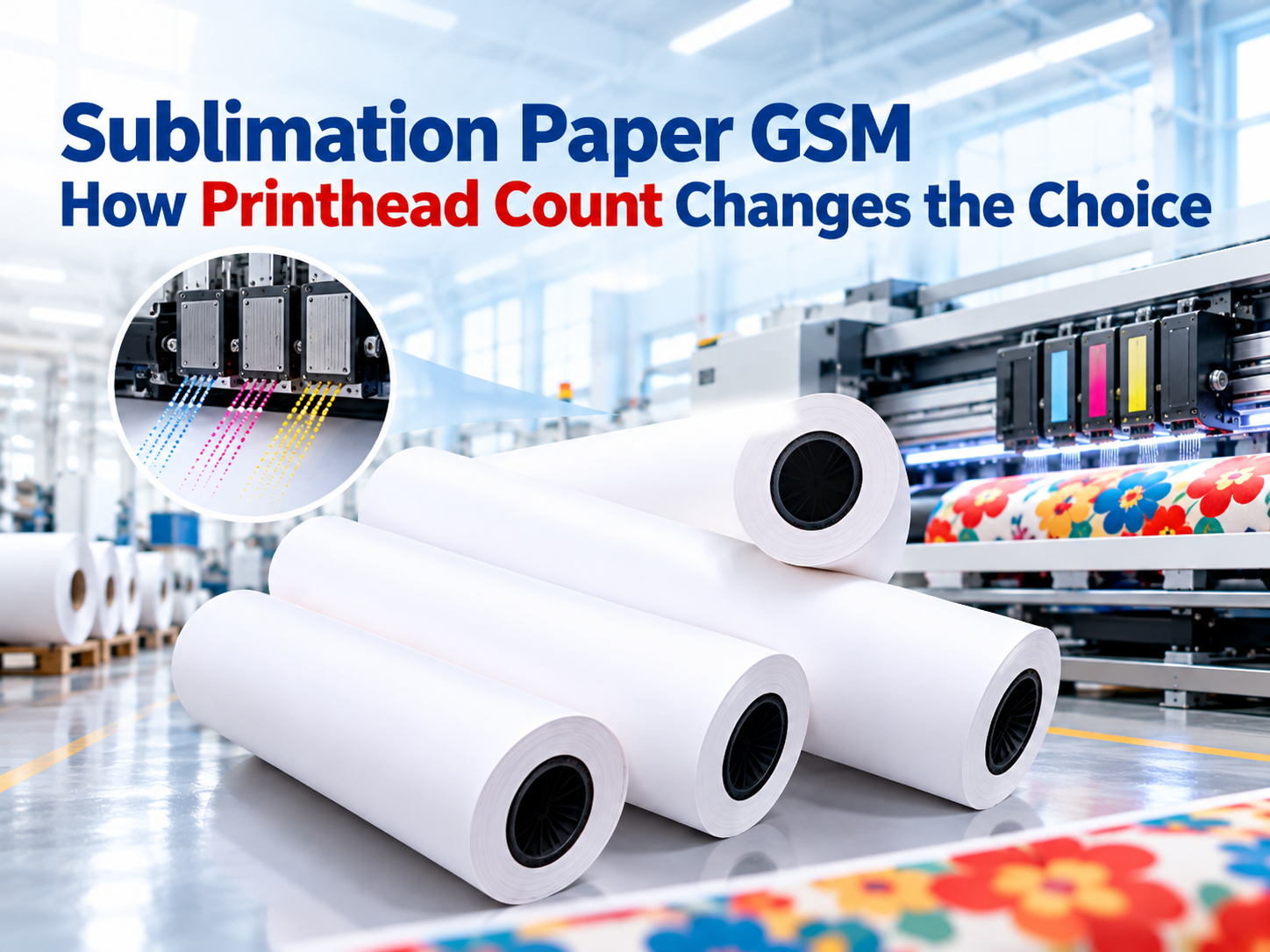
A print shop can run the same artwork on two sublimation printers and still get different paper behaviour. One machine leaves the roll flat, while the other begins to cockle, catch the head, or lose colour density deeper into the run. The paper may be the visible difference, but the printhead configuration is often what changed first.
Sublimation paper GSM is a production variable, not a universal rank. A grade that suits a low-ink workflow can become the wrong choice when more heads lay down ink faster. The useful question is how the paper, ink load, drying path, fabric, and printer work as one system.
Start With the Printhead, Not the Paper Shelf
Why More Heads Change the Ink Load
Each printhead contributes to how quickly an image is written across the paper. When a printer uses more heads or a wider head array, the same file can produce a different ink-delivery pattern. Ink may land in more concentrated bands, overlap differently, or reach the dryer with less time to settle.
That is why a paper grade cannot be selected from a printer model alone. The number of heads matters alongside the ink limit, pass mode, colour profile, image density, and paper coating. A shop moving a file from a smaller machine to a wider printer may need to test the paper again even when the GSM label does not change.
Read the Paper as Part of the Delivery System
Paper has to carry ink without letting it spread too far, retain enough surface structure for release, and stay flat while it travels through the printer. A sheet or roll that performs well at one ink load can behave differently when the printer accelerates or applies more ink per unit of time.
This is where a single number for `sublimation paper weight` becomes less useful. The right sublimation paper weight is a system result, not a catalogue habit. Operators need a paper that fits the machine’s delivery pattern, the dryer, the transfer process, and the order mix. The digital textile printer range and paper range have to be reviewed together. A heavier roll may add stability, but weight alone does not prove that the coating, drying speed, or release behaviour matches the line.
Compare GSM Through Three Production Signals
Curl, Cockling, and Head-Strike Risk
Curl and cockling tell the operator where the paper is under stress. Lightweight paper can deform when the image carries a heavy ink load, especially near dense edges and long colour blocks. The result may be uneven contact, head-strike risk, or a print that looks correct at the start but changes as the roll is consumed.
A 60gsm grade can be suitable for lighter or well-controlled work, while a heavier grade such as 90gsm or 100gsm may give a wider operating window when the image and printer place more demand on the sheet. The difference is not automatic. The printer’s media path, vacuum, tension, and drying capacity still decide whether the paper can use that stability.
Dryness at the Winder and Transfer Release
Paper that feels dry at the surface can still hold solvent or moisture that affects the next stage. Fast printing reduces the time available for ink to settle. If the roll is wound before the image reaches a stable state, the back of the paper may mark or the release behaviour may change.
Check dryness at the actual production speed, not only during a slow test. Then compare how the image releases from the paper onto the fabric. A paper that transfers colour well during a brief trial can leave residue or produce a duller surface after a longer run. That difference often points to a mismatch between ink load, coating, and drying rather than a colour-profile problem alone.
Colour Density and Ink Residue
Colour density is the visible result of several conditions. More ink does not always create a denser print if the paper cannot hold it or the fabric cannot receive it. Residue on the paper after transfer is also a useful signal. A small amount can be normal for the process, but a change in residue between the beginning and end of a roll deserves attention.
When operators compare paper grades, they should compare the same artwork, fabric, ink, transfer settings, and run length. That turns paper GSM into a controlled decision and keeps the result connected to production instead of appearance on a sample sheet.
Build a Paper Test That Travels Across Printers
Use One Artwork, One Fabric, and One Transfer Recipe
Choose an artwork that contains solid blocks, gradients, fine lines, light tones, and a dark area. Keep the fabric and transfer conditions fixed while changing the paper grade. Record the printer, printhead configuration, ink limit, pass mode, paper width, roll tension, dryer setting, and transfer result.
The test should identify the paper’s usable window, not produce a single winning sample. If curling appears before a full roll has run, or if colour shifts later in the production run, the grade is not ready for that machine even when the first sample looks acceptable.
Record the Run Length That Changes the Result
Short tests often hide the effect of heat, tension, and ink accumulation. Run long enough to see whether the paper changes after the first metre, the first ten metres, or the first complete roll. Compare the `sublimation paper gsm` you tested with the order length, image density, and fabric type you expect to run next.
A useful record can be simple: paper grade, printer, head count, file, ink limit, run length, observed curl, transfer density, residue, and action. The next operator can then see why a grade was accepted or rejected without repeating the same trial.
Match the Paper Range to the Order Mix
When 60gsm, 90gsm, or 100gsm Makes Sense
Paper grades are not separated into good and bad categories. They fit different balances of ink load, speed, cost, and stability. A shop with several printers may need more than one grade because a narrow machine, a wide high-output printer, and a transfer line do not place the same demands on the paper.
That is why 60gsm, 90gsm, and 100gsm can all have a place in one workshop. The decision depends on the job, not on a single preference. The best-performing grade maintains image stability through the intended run and still releases correctly on the selected fabric.
Where Changfa Digital’s Paper Range Fits
「 The 昇華転写紙シリーズ is the first place to compare grades. チャンファ デジタル publishes this range for different roll formats and production workflows. A product such as the 100gsm fast-dry sublimation paper roll gives buyers a concrete starting point for heavier roll workflows, while the wider range lets a printer compare grades without moving to an unrelated supply source.
The practical step is to send the printer model, printhead count, ink, paper grade, fabric, image load, run length, and current defect. A paper review that starts from those conditions is more useful than a generic recommendation based only on GSM.
結論
Paper GSM becomes useful when it is read together with the printhead configuration, ink delivery, drying path, fabric, and transfer result. More heads can change the ink load and the time available for the paper to settle, so success on a single printer does not transfer automatically to another. The strongest decision rule is not to choose the heaviest paper, but to compare a small set of grades through one controlled artwork, one fabric, and one full production run. Start with the observed curl, dryness, release, colour density, and residue. Then connect those results to the printer and order mix. When the test is recorded, the next paper decision becomes an operating choice rather than a guess.
FAQについて
Q1: Does a higher GSM always mean better sublimation paper for a high-head printer?
A1: No. A heavier grade may add stability, but the coating, drying behaviour, printer media path, ink load, and fabric still determine whether it works. Test it at production speed.
Q2: Can one paper grade cover every printer in the workshop?
A2: You can use the same grade as a starting point, but each printer and head configuration needs its own production trial. A grade that stays flat on one machine may curl or release differently on another.
Q3: What should I send to a supplier when comparing paper grades?
A3: Send the printer model, printhead count, ink, paper width, fabric, artwork type, run length, transfer conditions, and the defect you see. Those details keep the recommendation tied to the production line.


