


HOT SALE
APPLICATION
Phone:+86-15215969856 E-Mail: 396838165@qq.com
Sublimation printing gives its top results only when all materials in the process fit together well. Among these items, sublimation paper stands out as one of the key yet often ignored parts. Picking the correct paper ensures exact color movement, clear details, and steady printing work.
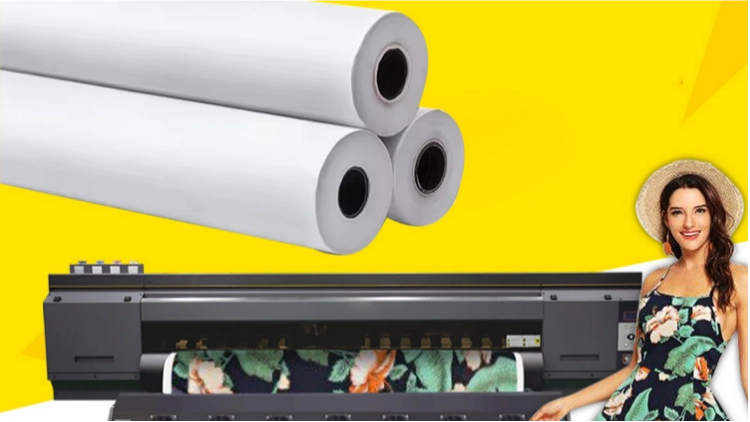
What Is Sublimation Paper, and How Does It Work?
Sublimation printing has turned into a main method in today’s cloth and item design fields. It lets you get bright, strong prints on many kinds of materials. And to do this, sublimation paper takes a big part as the base that keeps and lets go of sublimation ink in the heat-move step.
The Basics of Sublimation Printing
Sublimation printing is a way where dye moves to materials by heat and push. When you heat it, special sublimation inks change right from solid to gas without turning to liquid. This lets them go deep into the face of the base item. So, you end up with pictures that shine with color, last a long time, and fight off fading or coming off.
But not every paper can handle this change well. Sublimation paper is made on purpose to absorb sublimation ink evenly, and it releases the ink quickly when heat is added. Because of this, your designs keep their intended color truth and clearness after the transfer.
Why Choose Sublimation Paper for Printing?
Picking the best sublimation paper makes your prints not just eye-catching but also tough. Good sublimation paper brings out strong colors and small details on different bases like cloths, pots, metal sheets, and covered plastics. Its cover tech helps watch ink take-up. And it stops smears or runs while moving.
This fits great for uses like team clothes, ad goods, and house decor items where picture exactness counts a lot. No matter if you work with polyester cloths or covered pots, using special sublimation paper promises steady outcomes over many tasks.
How Do You Select the Right Sublimation Paper for Your Needs?
Choosing the best sublimation paper relies on a few things that change print quality and speed right away. Knowing these points helps you get pro-level outcomes each time you print.
Factors to Consider When Choosing Sublimation Paper
The thickness and heaviness of sublimation paper changes how well it moves ink to your picked material. Lighter papers, for instance those at 29 gsm or 35 gsm, often suit fast printers or ongoing roll printing. On the other hand, heavier papers, such as 90 gsm or 100 gsm, give a steadier hold for big designs or hard bases.
You should also think about the face kind you will print on. For one thing, thin papers work well for cloth moves where bending is key. While thicker choices fit better for hard faces like metal boards or pot cups.
The Role of Quality in Sublimation Paper Performance
Paper quality decides how true colors appear after the move, while top papers stop ink from going through and keep sharp sides in full pictures. Steady performance between groups helps ensure sure output over time. This matters a lot when you make big sets of printed stuff.
Changfa Digital is the expert supplier of sublimation paper and has given digital printing help for more than 15 years. It is the plant for sublimation papers, starting from base paper to adding cover and cutting and sending to places all over the world. Their new making lines ensure even, thick cover across rolls. So, each print keeps high clearness.
What Are the Key Steps for Successful Printing with Sublimation Paper?
Even when you have fine materials ready, getting perfect outcomes needs careful setup of your printer and heat press tools.
Preparing Your Printer and Materials
Before you print with sublimation paper, check that your printer works with sublimation inks. Normal inkjet printers cannot manage these special dyes in the right way. Set color plans based on your design program choices. That way, what you see on the screen matches what shows on cloth or other bases.
Clean print heads often to stop lines or color mismatches in making runs, and always keep extra sublimation paper in a dry spot. Since wet air can change how well it holds ink in a flat way.
The Importance of Proper Heat Press Settings
Heat pressing is the stage where your design starts to come alive, and heat levels often range from 180°C to 200°C, depending on the material kind. Push needs to stay firm but not too high, so it does not cause twists. Time usually runs from 30 to 60 seconds, based on base thickness.
Wrong heat or timing can make pictures look pale or incomplete in the move. Do small test prints first before you begin big making, because this helps confirm the best setups for each item type you use.
How Can Changfa Digital Enhance Your Sublimation Printing Experience?
When sure work meets new ideas in sublimation printing fixes, you see Changfa Digital’s skill in action. Changfa Digital is the supplier of sublimation paper and digital printing help. They mix new making tech with more than fifteen years in the field.
For pros looking for sure work over many uses, from light rolls like 30 GSM sublimation paper, great for team cloth moves, to heavier types for hard faces, this brand gives made-for-you fixes backed by a quick help team open 24 hours a day.
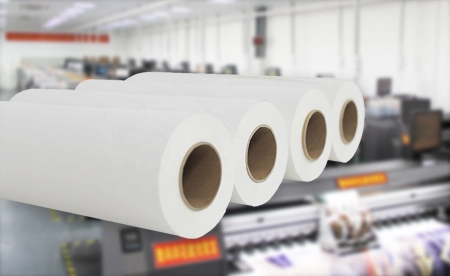
What Are Common Mistakes in Using Sublimation Paper?
Even pros can run into problems in making if they miss small things. Skipping usual traps makes workflow smoother and outputs better each time you print with sublimation paper.
Avoiding Common Pitfalls in the Printing Process
Forgetting printer care often brings blocked tips or uneven color spread. These issues hurt the last picture’s clearness. In the same way, using papers that do not match or wrong setups may make tones look washed or lines fuzzy after heat push.
Always check material matches before each task, and make sure inks and papers fit base needs just right. A wrong line-up in pressing can also create shadow effects. Hold designs tight with heat-safe tape before you add push.
Ensuring Optimal Transfer Results Every Time
Steady is the main thing when you grow making work. Update printer software and design programs often so you get a better handle on the ways that suppliers change over time.
Watch workplace factors too. Heat changes in rooms can shift dry speeds and lead to uneven moves between groups. By setting work steps like wet air levels near store spots for extra rolls, ideally under 60%, you keep sure results all through long tasks with many print turns. And to add more detail on this, keeping a log of your settings can help spot patterns in any small issues that pop up. Plus, talking with other users in forums often shares tips that make things even smoother over time.
FAQs
Q: Can I use regular inkjet printers with sublimation paper?
A: No, you should only use printers made just for sublimation inks. Because normal dye inks will not turn into gas under the heat, they move in this way.
Q: What materials work best with sublimation printing?
A: Polyester cloths stay the top choice because they take in gas dyes deep into threads. Also, covered pots, metals, and plastics give great last power after a move when you use them right with good papers like those from Changfa Digital. For example, mugs and signs often turn out sharp and hold up well in daily use.
Q: How do I prevent ghosting during transfers?
A: Hold your printed design tight on its goal face with heat-safe tape before the press step. This stops bad moves that often cause two-picture effects called ghosting in the heat part. If you do this every time, your results will stay clean and pro-looking without extra tries.


